
How AI backyard design works
The AI backyard design tools we looked at, from Visualizee, CapCut's Dreamina, Vmake, HomeDesigns AI and Genroom to the Yardzen app, follow the same three steps: you upload a photo of your yard, choose a style or type what you want, and get back an image of the same yard redesigned.
Ours works the same way. It edits your own photo instead of drawing a new garden, so the house, the fence and the camera angle can stay as they are while the lawn, the floor or the planting changes. You can see a patio, a deck or new beds in your own yard before you spend anything on them.
What to write in your instruction
The tool above is in Custom mode, so the result depends on what you type. In our tests, short and exact instructions worked better than long wish lists.
- Say what may change: Start with "Change ONLY the lawn" or "Change ONLY the dirt and weeds", so the AI knows which part of the photo is open to redesign.
- Name the thing and what it is made of: "A large grey paver patio", "a low wooden deck" or "a winding gravel path" works better than "a nice seating area".
- Say where it goes: "At the back door", "along the fence" or "from the porch to the back of the yard". Without a place, the AI picks one.
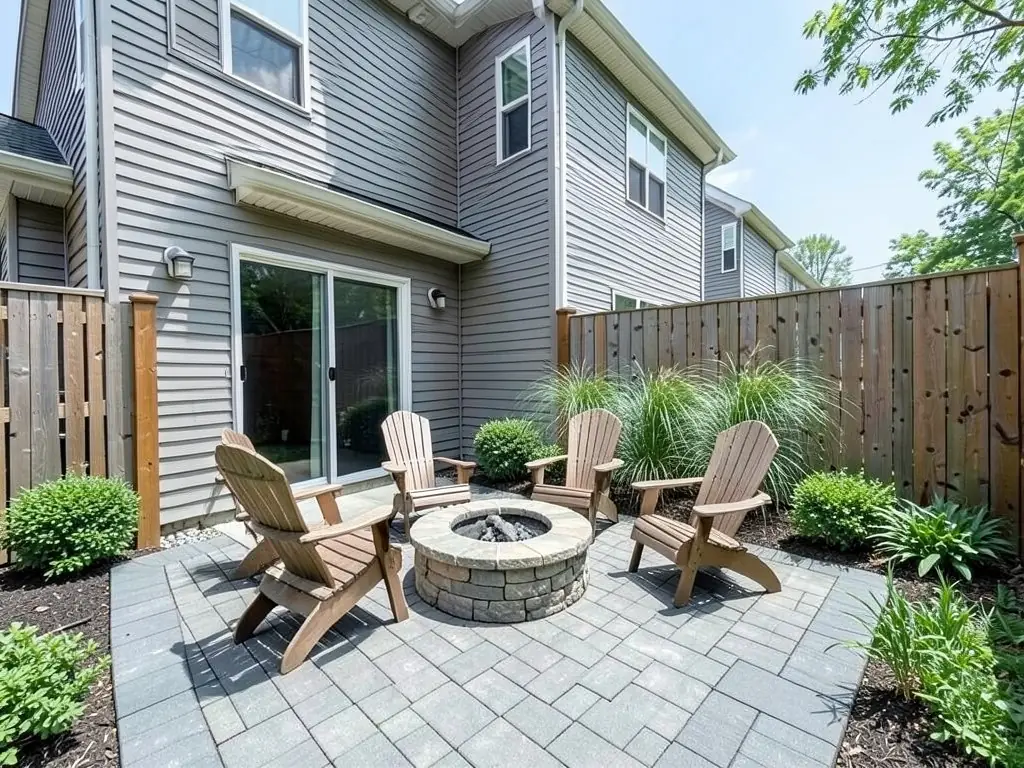
- Count the furniture: Ask for "four Adirondack chairs" or "a table with six chairs". It got both counts right in our examples, though it does not always.
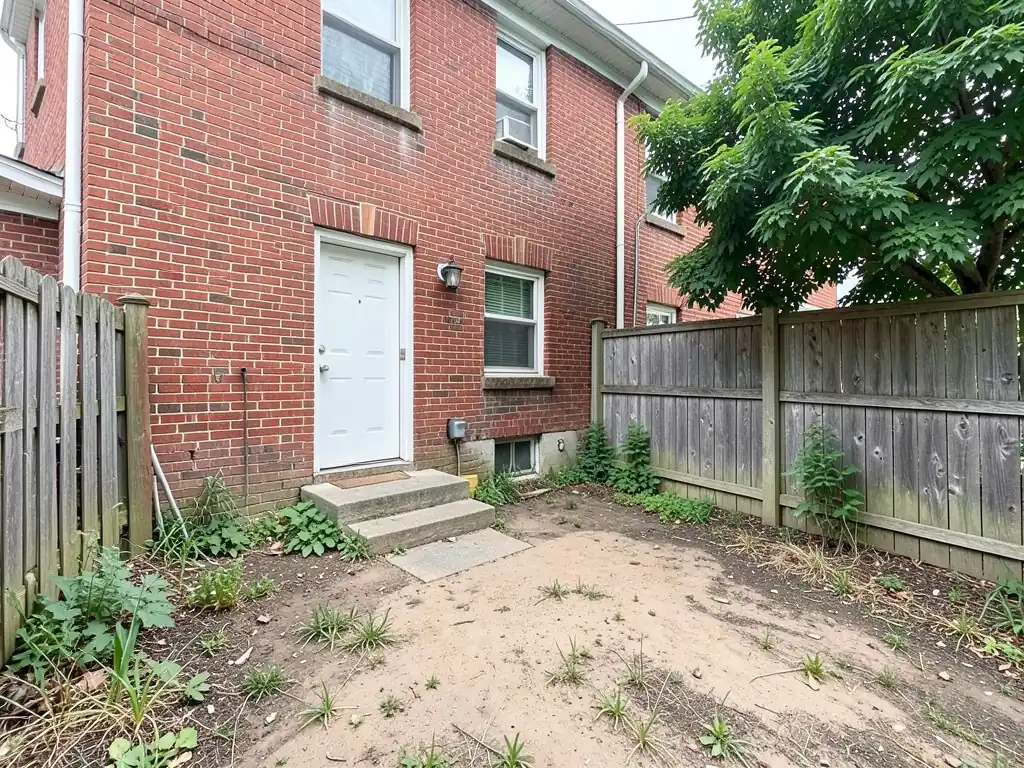
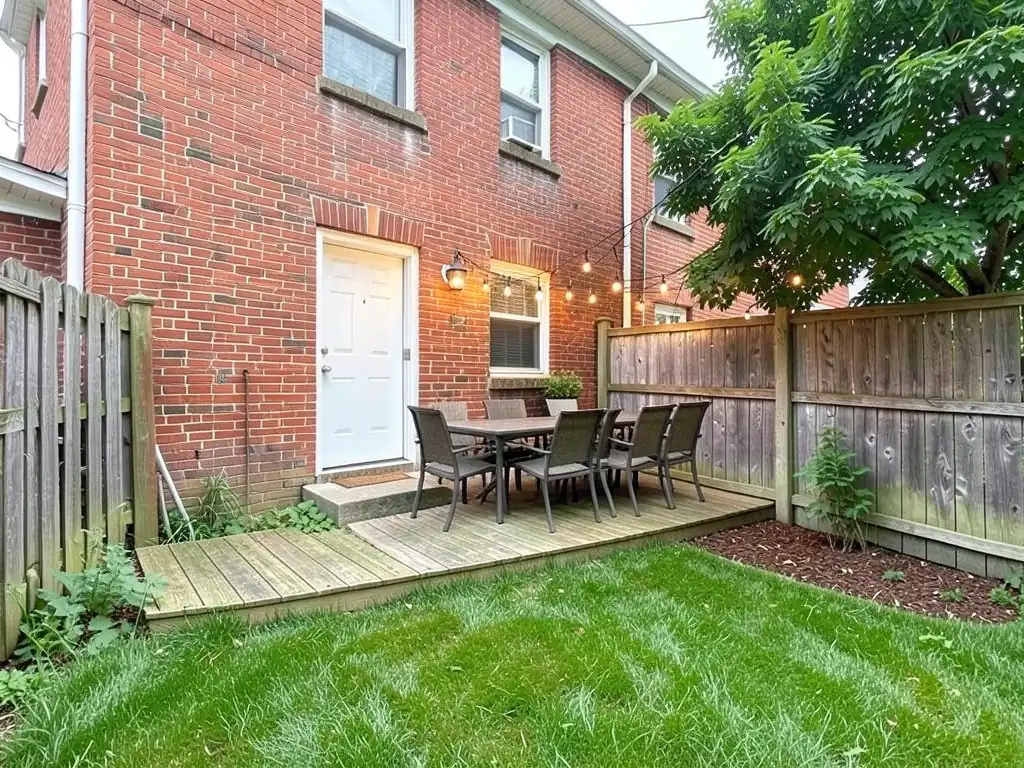
- Say what must stay the same: End with "Keep the house, the fence and the camera angle exactly the same." Even then, small things like steps or a basement window can change, as our third example shows.
Three backyard redesigns to try first
A patio with a fire pit, garden beds with a path, and a deck for dining cover most backyard projects, and they are the three examples above. For more on each, see our fire pit landscaping ideas, patio design ideas and deck design ideas pages.
If your yard is small, narrow or has no lawn worth keeping, our small backyard landscaping ideas and no grass backyard ideas pages show more starting points. If you would rather pay a designer for a full plan, our Yardzen alternative page compares the two.
How to redesign your backyard with AI
The tool above is already in Custom mode. The Yard Redesign styles have no text box, so you cannot ask for a fire pit, four chairs and beds along the fence there. Custom lets you name the change, where it goes and what must stay the same.
- Take the photo in daylight from where you would stand to look at the yard, such as the far corner or the back door, with the area you want to change in frame.
- Describe the change in the Custom Design Requirements box: what may change, what to add, what it is made of, where it goes, and what must stay the same.
- Upload your photo under Upload Your Garden Image and click Generate Custom Design. You sign in with an email code or Google when you generate.
- Compare the result with your photo. If it moved something you wanted to keep or skipped part of the request, say so more exactly and try again. Each run comes out a little different.
What the AI can and cannot do
The AI shows a look: roughly how a patio, a deck or new planting would sit in your own yard. That helps you choose between ideas and talk them through with your family, a contractor or a designer.
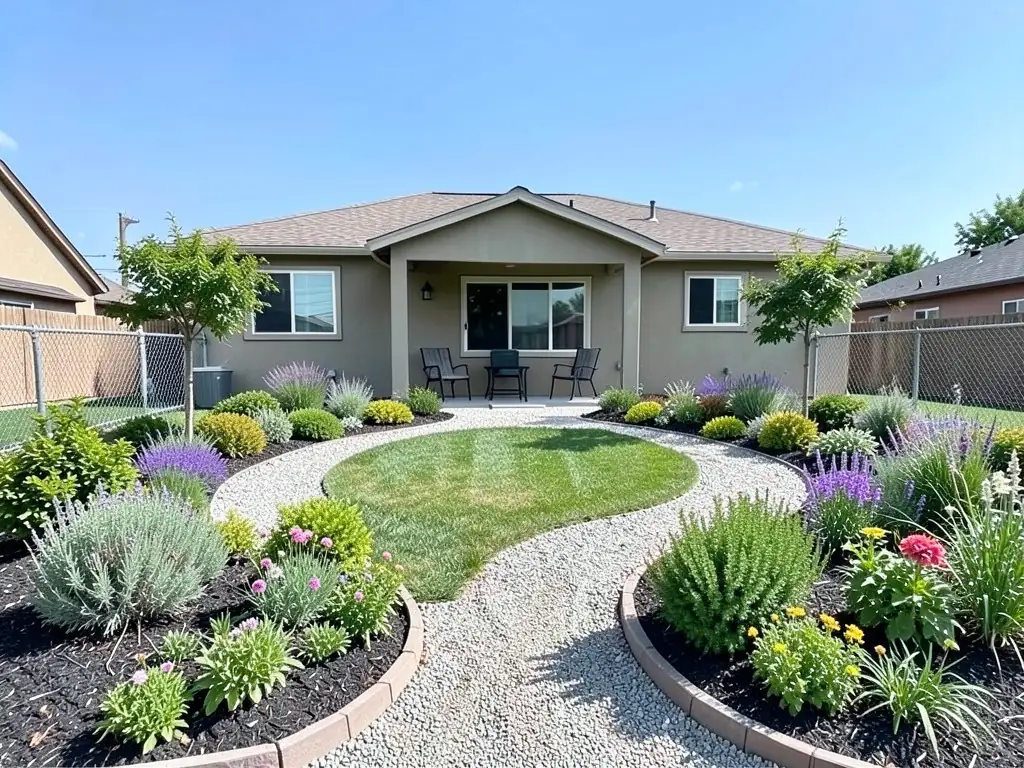
It does not measure the yard, draw a plan to scale, price the work, check local or HOA rules, or plan drainage and irrigation. It also does not always follow the instruction: in the examples above it put a mulch bed in the wrong place, removed steps by a door and left beds short of the fence. Treat the result as a picture of an idea.
AI backyard design instructions to paste into Custom mode
These are the exact instructions we used for the three examples above, in the same order. In the tool above, Custom is already selected: paste one into the Custom Design Requirements box, then upload your photo. Swap in your own materials, positions and what must stay.
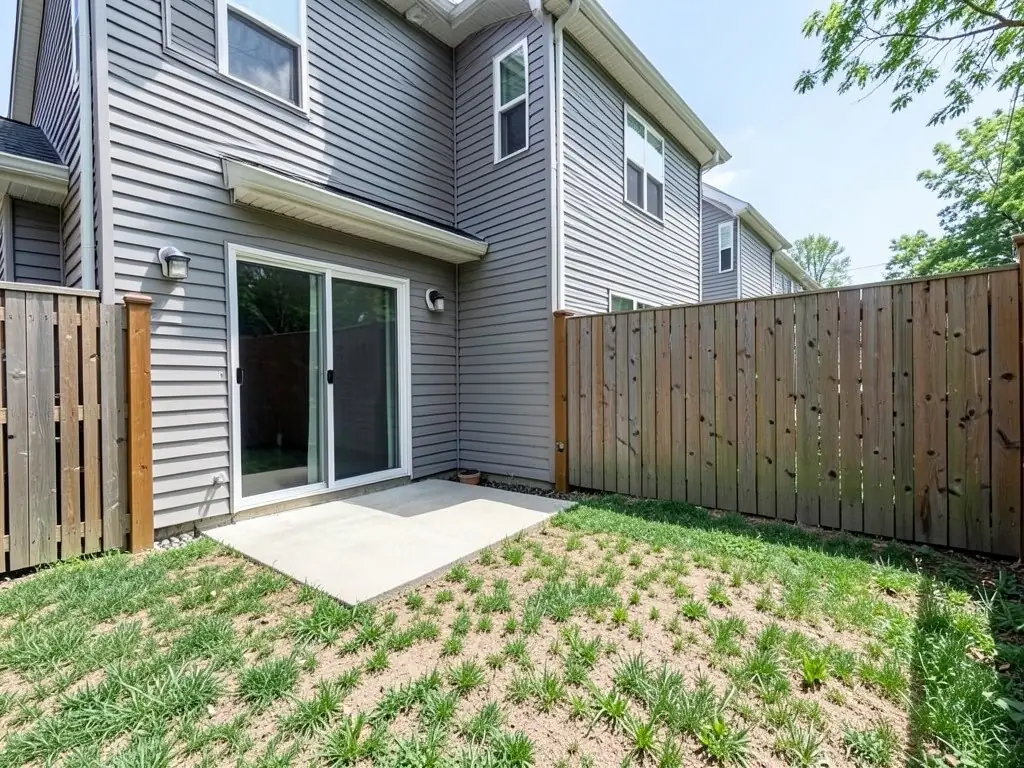
- Change ONLY the lawn and the concrete slab: replace them with a large grey paver patio with a round stone fire pit and four Adirondack chairs, and add planting beds of shrubs and ornamental grasses along the fence. Keep the house, the sliding door, the fence and the camera angle exactly the same.
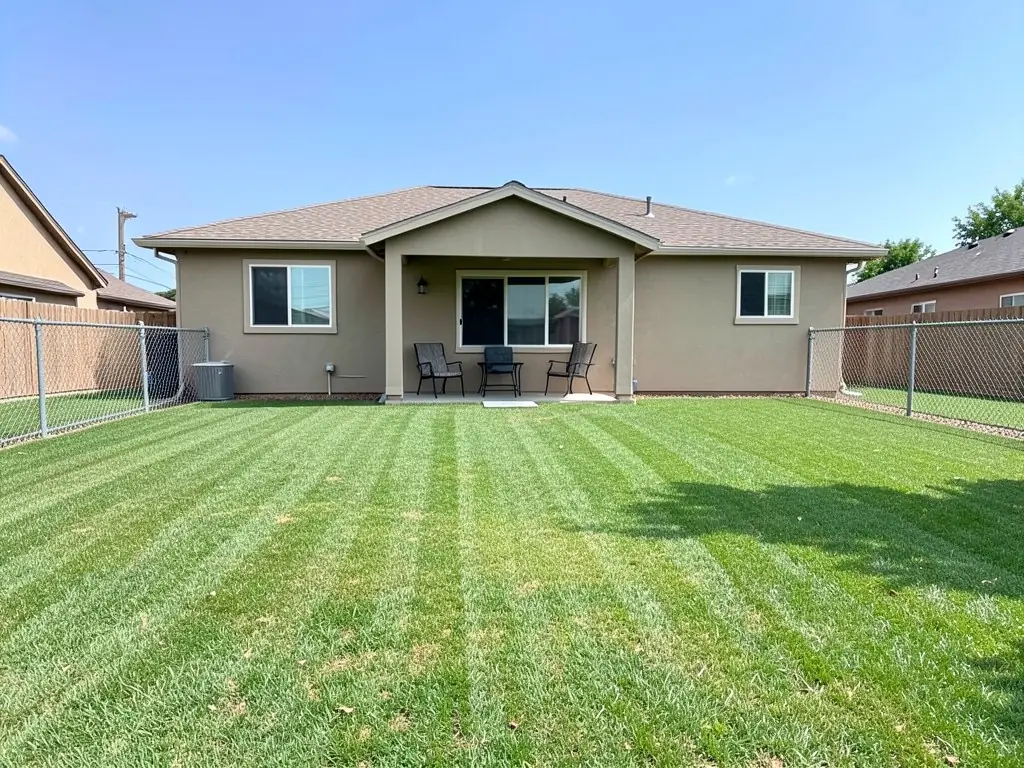
- Redesign ONLY the lawn: add curved planting beds of shrubs, flowering perennials and two small trees along the fence, a winding gravel path from the porch to the back of the yard, and keep a smaller oval of lawn in the middle. Keep the house, the porch, the fence and the camera angle exactly the same.
- Change ONLY the dirt and weeds: add a low wooden deck at the back door with an outdoor dining table and six chairs, string lights from the house to the tree, and fresh green lawn with a mulch bed around the tree. Keep the house, the back door, the fence, the tree and the camera angle exactly the same.
Frequently asked questions
Is there a free AI backyard design tool?
Yes. Create a free account with an email code or Google and you get 1 free render. Free renders carry a watermark. More renders and no watermark come with a paid plan.
Can AI design my backyard from a photo?
Yes. Upload a photo of your backyard, describe the change in Custom mode, and the AI returns the same view with the patio, deck or planting drawn in. It edits your photo rather than drawing a new garden.
What should I type to get a good result?
Say what may change, what to add and what it is made of, where it goes, and what must stay the same. The three instructions printed on this page are a good starting point; swap in your own materials and places.
Will the AI keep my house and fence the same?
Mostly, if you ask it to. In our examples the houses and fences stayed the same, but it removed steps and a basement window in one image and hid part of a fence behind new trees in another. Always compare the result with your photo.
Why does the result change every time I generate?
Each run starts from a different random seed, so the same instruction gives a slightly different design each time. We tried three seeds for each example on this page and show the best one.
Can the AI give me a plan with measurements or a cost?
No. It draws a picture of the idea on your photo. It does not measure the yard, draw to scale, price materials or check local rules. Use the picture to talk the idea through with a contractor or a designer.
Does it work for front yards too?
Yes. The tool works on any yard photo. For front yard ideas and instructions, see our front yard landscaping ideas page.