
Where the pages say to put it
These ideas come from Landscaping Network (undated), Southwest Greens (July 30, 2025), CCGrass (September 9, 2026) and Gardening Know How (updated December 14, 2022). Southwest Greens and CCGrass sell turf, so read their advice as a seller's. None of it is tested in your yard.
- Close to where people gather: Landscaping Network quotes contractor Steve Biernacki of WaterQuest saying to put a green close to the house, in areas you actually use such as patios or entertaining areas.
- Away from glass and cars: The same page says to keep it away from windows, parked cars and play areas, since chip shots and hard swings happen.
- A flat spot: Landscaping Network quotes Scott Cohen of The Green Scene saying to choose a flat area, because hilly terrain can cause drainage problems. For a real-grass green, Gardening Know How says to pick full sun with no low areas that could hold water.
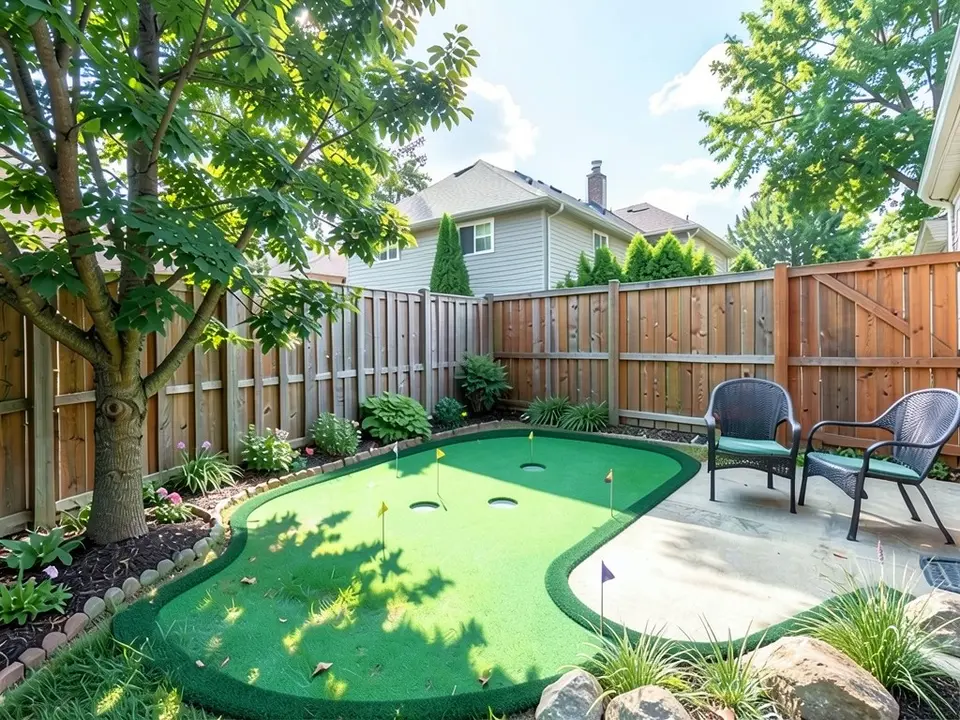
- Between fence and patio: CCGrass describes a compact green with several cup positions and a realistic fringe in a small space between a privacy fence and a stone patio. Our third example is this layout.
Size and shape
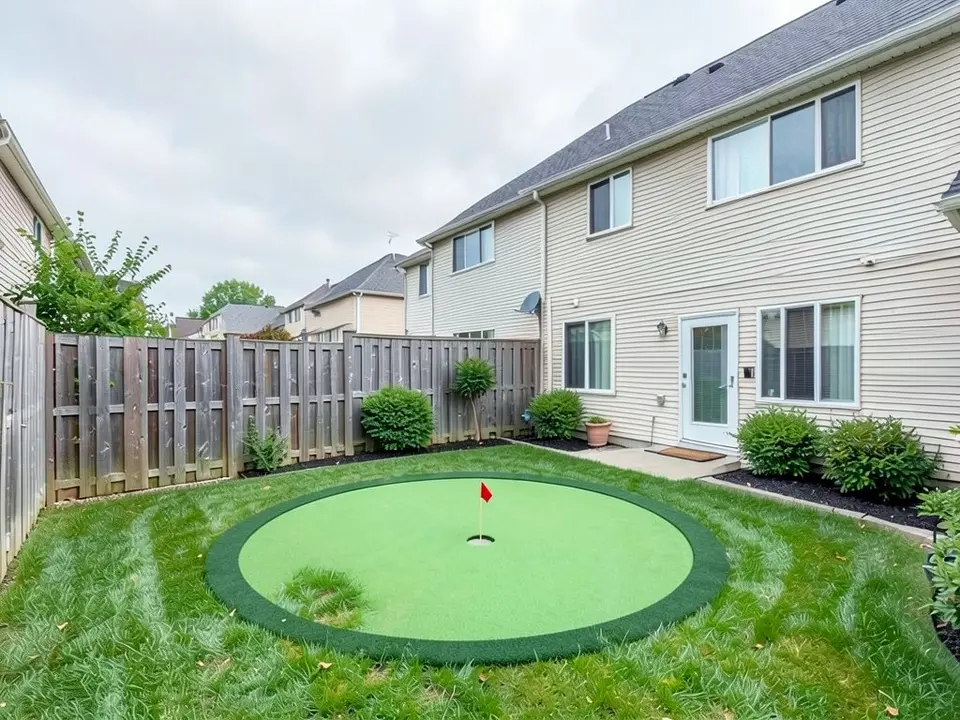
Our first and third examples are this idea.
- A size to start from: Southwest Greens says a 10 by 15 foot area is enough for a couple of holes and a border fringe. It does not say what the smallest workable green is.
- Draw it first: Southwest Greens suggests sketching an oval, kidney or free-form shape on paper and adding a few feet around it for walking access and edging.
- Organic and bordered: CCGrass suggests a curved, organic shape with defined borders and complementary landscaping, and describes a broad irregular green framed by mature trees, hedges, flowers and lawn so the turf blends in.
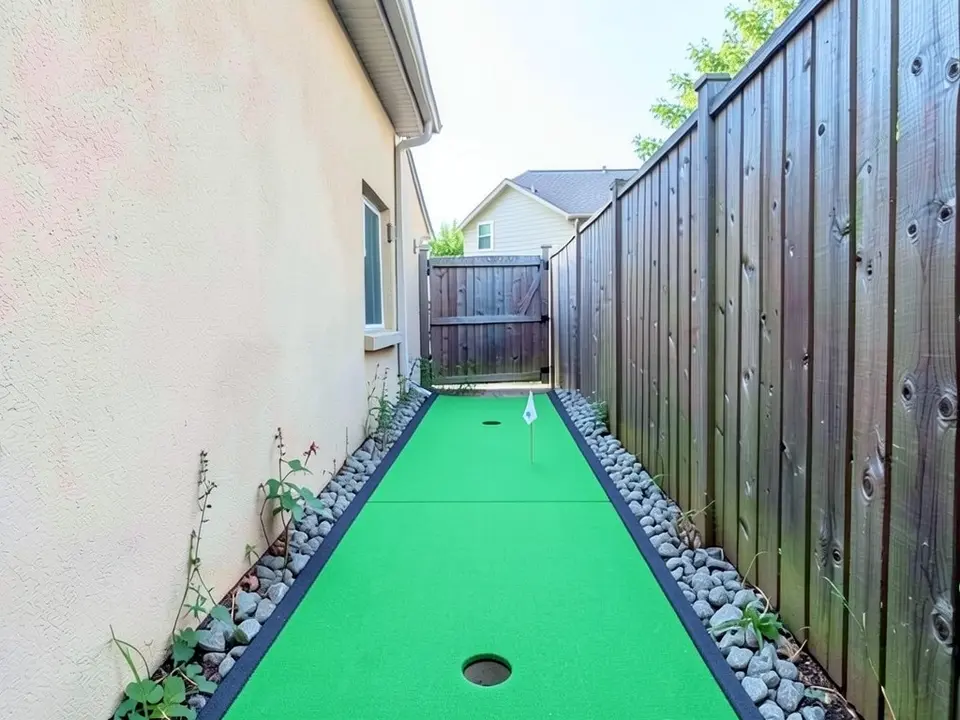
- Any shape: Landscaping Network says a green can be designed to any size or shape. Our second example is a long strip, but none of the pages we read recommends a strip as a green.
Holes, slopes and extras
Landscaping Network says a flat green with one hole gets dull. Our pictures show flat greens, so they cannot show how a slope or a mound would play.
- Make it interesting: Landscaping Network quotes Biernacki saying to add a few undulations, mounds, a sand pit and about three holes, because a flat one-hole green gets boring quickly.
- Personal touches: The same page suggests custom tee markers, flags with names or signs.
- Speed: Southwest Greens says low-pile turf gives a faster roll and denser turf plays a bit slower.
- Light after dark: Landscaping Network suggests low-voltage landscape lighting to extend use after dark, and Southwest Greens suggests energy-efficient lighting for late-day putting. See our landscape lighting design ideas.
Making it part of the yard
Our third example adds boulders and grasses at the edge for this reason.
- Stone, trees and light: CCGrass's backyard example surrounds a curved green with decorative stone, palm trees and landscape lighting.
- Planting around it: CCGrass says to frame a green with mature trees, hedges, flowers and lawn. For planting ideas near a patio see our patio design ideas, and for the rest of the yard see our backyard design ideas.
Artificial turf or real grass
Landscaping Network recommends artificial turf over living turfgrass because mounds, sand pits and unusual shapes are hard to irrigate and mow with living grass. It says artificial turf drains well, handles heat, cold and wet, and that a shady spot nearby helps if you have pets, since artificial turf can heat up and burn paws.
Gardening Know How covers the real-grass route and warns it takes dedication, expense and long-term maintenance: it names creeping bentgrass or bermuda grass, says to mow at 3/16 to 1/4 inch at least four times a week, and says a rotary mower cannot cut that precisely and a reel mower costs thousands of dollars. It also says a DIY green will not be as good as one on a golf course. For turf-only questions see our artificial turf visualizer and artificial turf cost pages.
What these pages do not cover
None of the pages give a minimum yard size, a safe distance from a window or a fence in feet, or a rule about drainage under artificial turf. Check homeowners association rules, utility lines and your own ground with a local installer before you build, and treat our pictures as the look only.
How to try a green on your own yard photo
Use Custom mode for this. The Yard Redesign styles have no text box, so you cannot ask for a particular green, shape or number of holes there. Custom lets you name the spot, the shape and what must stay the same.
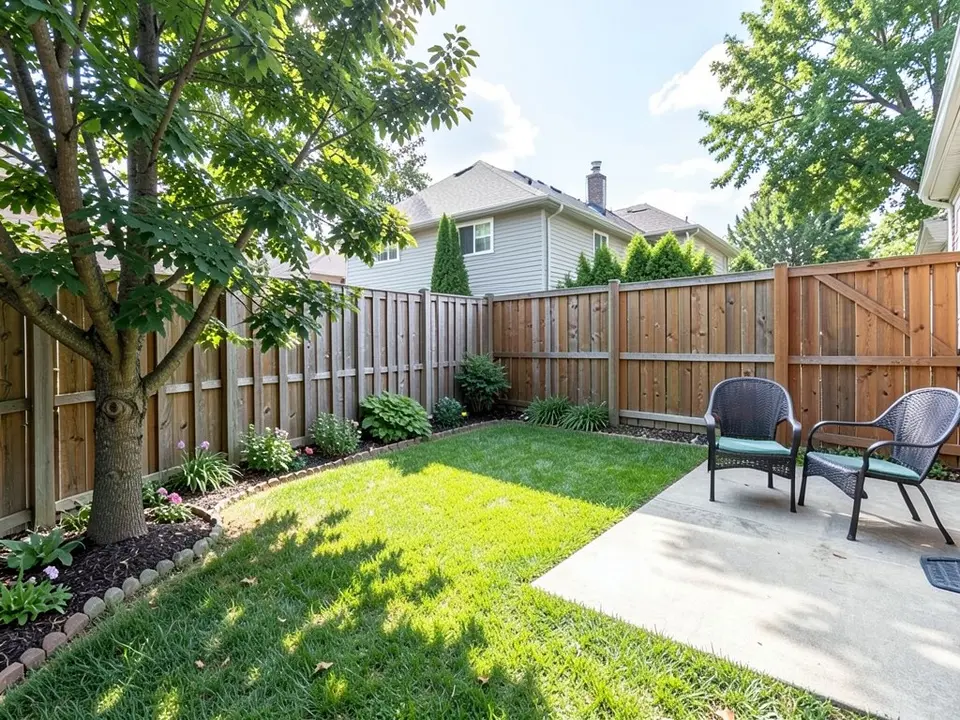
- Take the photo in daylight from the spot where you would stand to look at the green, with the lawn, the patio or fence and the house in frame.
- Open the landscape tool and sign in with Google or an email code. You get 1 free render with a free account.
- Under Select Landscape Mode, pick Custom.
- In the Custom Design Requirements box, name what to change (the lawn or one part of it), the shape and number of holes, and what must stay the same, such as the house, the patio, the fence and the camera angle.
- Upload your photo under Upload Your Garden Image and click Generate Custom Design.
- Compare the result with your photo and change one thing at a time, such as the shape or the number of holes, and run it again.
What the AI can and cannot do
The AI shows a look: roughly how a green of a given shape would sit on your lawn. That helps you choose a shape and explain what you want to an installer.
It does not measure your yard, check the slope, sun or drainage, or price the job. It also does not always follow the instruction, as the extra cup holes and flags in two of our examples show. Treat the result as a picture of an idea and get the plan from a local professional.
Putting green instructions to paste into Custom mode
These are the exact instructions we used for the three examples above, in the same order. In the landscape tool, choose Custom, paste one into the Custom Design Requirements box, then upload your photo. Swap in the shape you want, where it goes and what must stay.
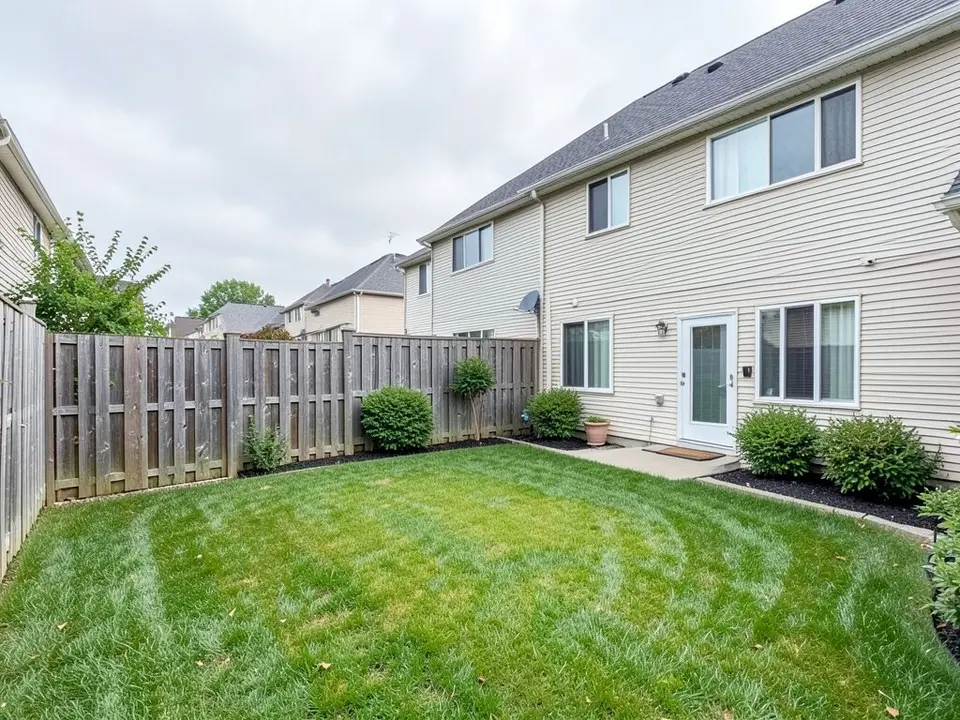
- Change ONLY the middle of the lawn: add a round artificial putting green about three metres across with smooth bright green turf, a slightly darker green fringe around it, one cup hole with a small red flag. Keep the house, patio, fence, shrubs, the rest of the lawn and the camera angle exactly the same.
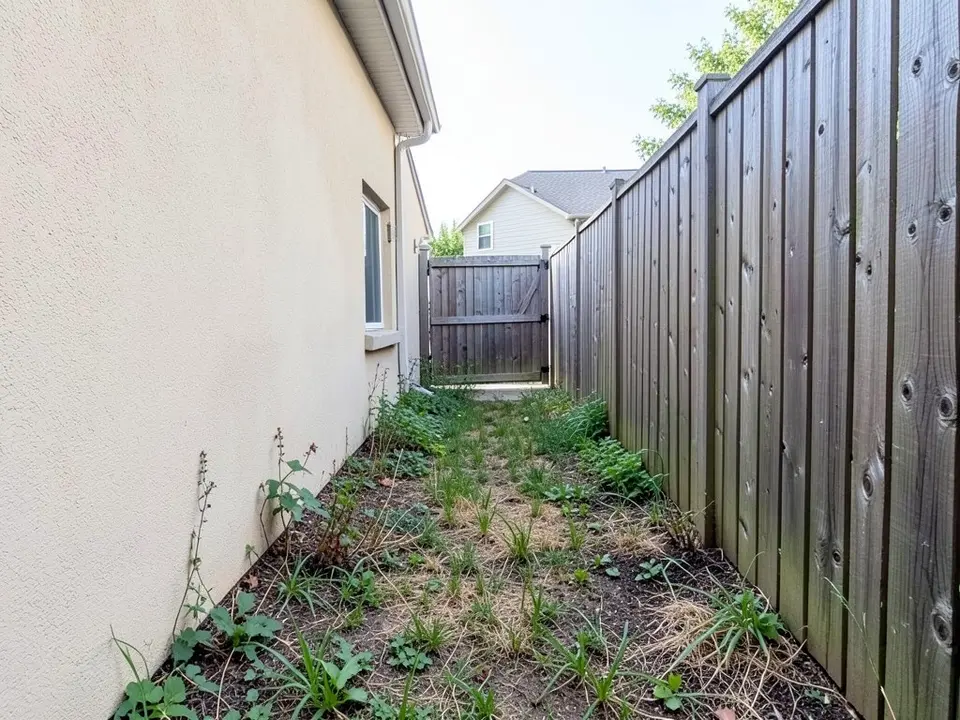
- Change ONLY the ground: replace the grass with a long narrow strip of smooth bright green artificial putting green running down the yard with a darker fringe, one cup hole and a small white flag near the far end, and a border of grey stones along each side. Keep the house wall, the fence, the gate and the camera angle exactly the same.
- Change ONLY the lawn: replace it with a kidney-shaped artificial putting green of smooth bright green turf with a darker fringe, two cup holes with small flags, and a few boulders and ornamental grasses along its edge. Keep the patio, chairs, fence, tree, flower bed and the camera angle exactly the same.
Frequently asked questions
What are good backyard putting green ideas?
The pages we read suggest a curved or kidney shape with a darker fringe, a green close to the patio but away from windows and cars, a few mounds and about three holes, low-voltage lighting, and planting, stone or boulders around it. The examples above show a round green, a long strip and a kidney shape on a photo.
How big does a backyard putting green need to be?
Southwest Greens, a turf seller, says a 10 by 15 foot area is enough for a couple of holes and a border fringe. It does not give a smallest size. Measure your yard and ask an installer.
Can I put a putting green in a narrow side yard?
Our second example shows a strip in a side yard, but none of the pages we read recommends that shape, and the picture does not check room to walk past it. For other side yard uses see our side yard landscaping ideas.
Artificial turf or real grass for a putting green?
Landscaping Network recommends artificial turf because mounds and sand pits are hard to irrigate and mow with living grass. Gardening Know How says a real-grass green needs mowing at 3/16 to 1/4 inch at least four times a week.
Can the tool draw slopes and mounds on the green?
Not reliably. All three of our greens came out flat. You can ask for a mound in your instruction and see what comes back, but treat it as a rough picture.
Do I need an account, and is it free?
You need an account, and it is free: 1 free render with a free account, and free renders carry a watermark. More renders and no watermark come with a paid plan.
Sources
The facts above come from these pages, which we read in October 2026. We are not affiliated with any of them.
- Landscaping Network: putting greens (undated; contractors Steve Biernacki and Scott Cohen quoted)
- Southwest Greens: designing the ultimate backyard putting green that matches your landscape (July 30, 2025; a turf seller)
- CCGrass: artificial putting green ideas (CCGrass Team, September 9, 2026; a turf manufacturer)
- Gardening Know How: how to build a backyard putting green (Susan Albert, last updated December 14, 2022)