
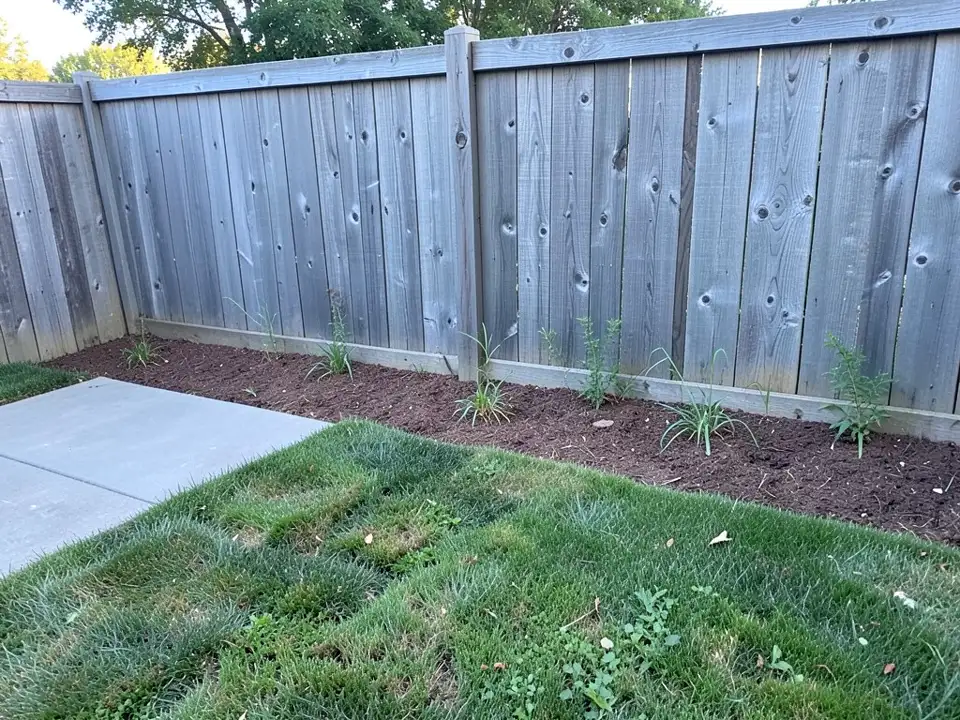
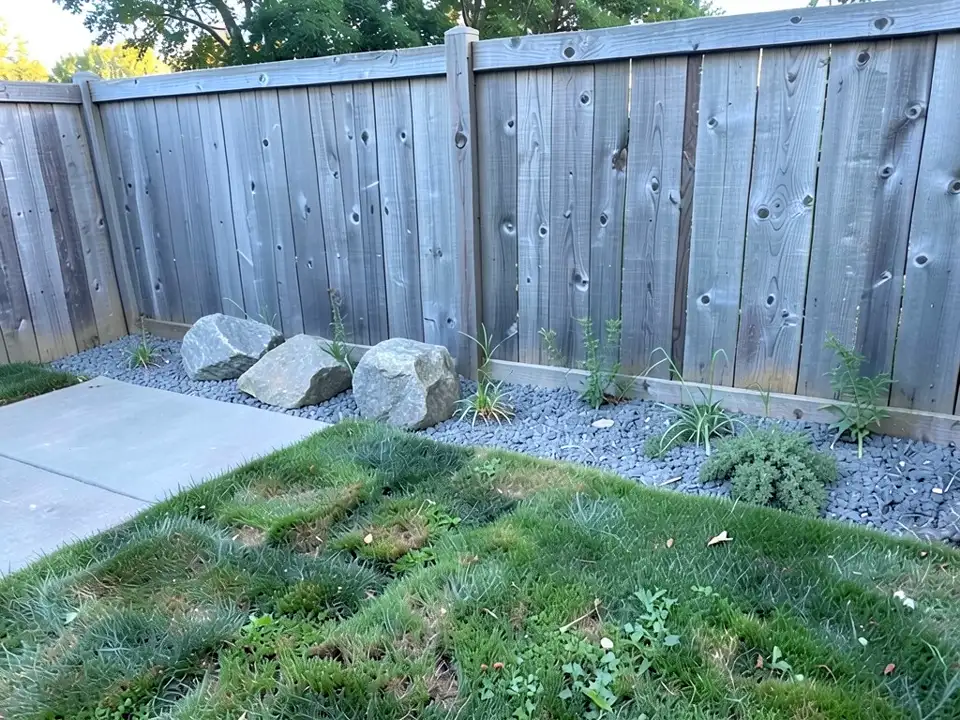
A fourth attempt that did not work
We also asked for a tiered rock garden on a sloping, patchy bank by a fence, with boulders set into the slope and small alpine plants. The picture that came back was essentially the same as the one we put in: grass and weeds on a slope, no boulders. We do not show it as an example, and we mention it because the tool does not always change what you ask it to change. If a result looks unchanged, say more plainly where the rocks should go and run it again, or try a flatter spot first.
What a rock garden is made of
LawnLove, a lawn-care company, published a rock garden guide that it updated in November 2023. A company that sells lawn services may favor its own services, so we use the guide only for what it says about the stone and plants, not for prices.
- Stone: LawnLove lists pea gravel, crushed granite, river rock, pumice and boulders as options for the ground and the focal stones.
- Plants: It names phlox, yarrow, purple coneflower, prickly pear, sedum, bayberry, sedges, mosses and succulents as plants that suit a rock garden.
- Upkeep: LawnLove says there is no mowing, to water deeply but not often, and to use compost rather than harsh fertilizer.
How the second source says to build one
Gardeningetc, a home and garden magazine site, published a how-to by Zia Allaway that was updated in January 2022. The site says it may earn an affiliate commission on products it links to, so treat any product suggestions with that in mind; we use only its method. It says to pick a sunny spot, notes that a slope helps with drainage, and describes laying a layer of rubble about 6 inches deep, covering it with a gritty soil mix, burying the lower third of each stone and filling between the stones with compost for the plants. It also says that roughly 40 to 60 percent of the rock should show.
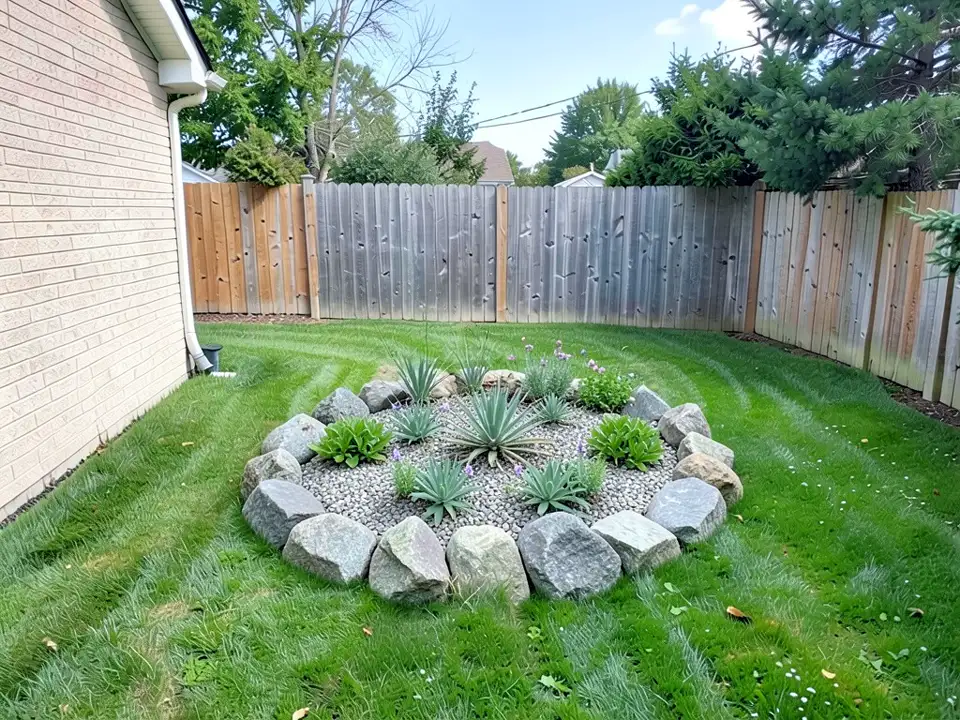
That last point matters for our first example: the AI's bed is mostly gravel and plants with boulders only around the rim, and a picture cannot tell you how deep the stones sit or how well the bed would drain.
Which rock garden idea fits which yard
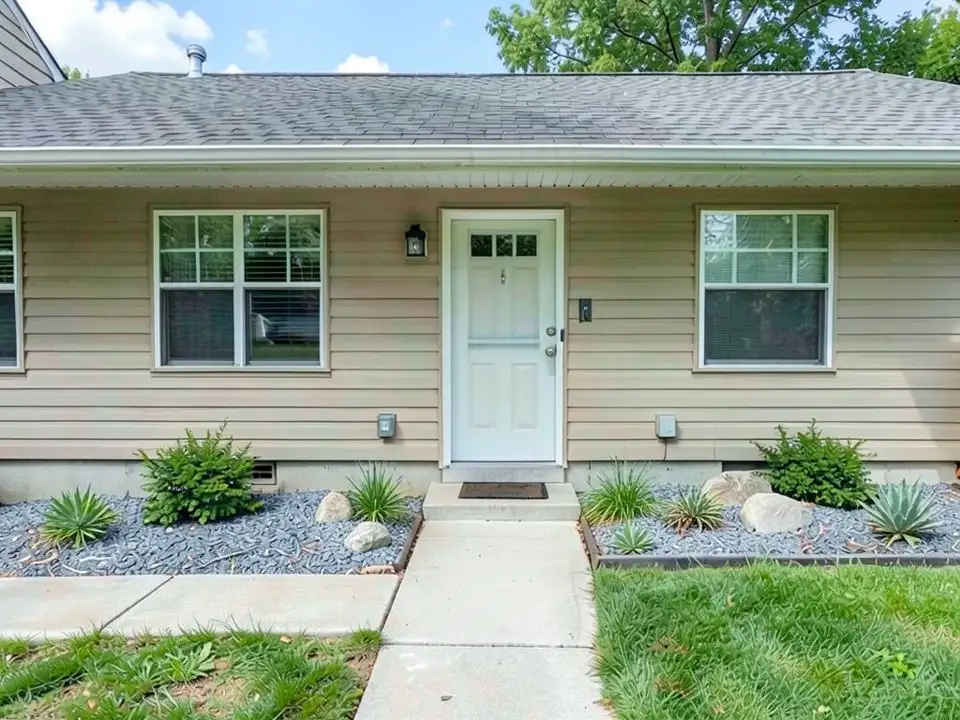
These are our reading of the sources, not a rule. A raised round bed with a boulder rim, like our first example, can sit alone on a lawn and has the look of a feature. A dry gravel bed along the house, like our second, replaces mulch and suits a narrow strip. A gravel and boulder strip along a fence, like our third, works in a corner. All three need the drainage and layering the second source describes if you build them for real. If you want a plainer yard, see our page on gravel backyards, or our xeriscape front yard and Japanese garden pages for related looks.
How to try a rock garden on your own yard photo
Use Custom mode for this. The Yard Redesign styles have no text box, so you cannot ask for a rock garden there. Custom lets you name the spot, the stone and the plants, and what must stay the same.
- Take the photo in daylight from where you usually see the yard, with the spot you want to change, the lawn and part of the house or fence in frame.
- Open the landscape tool and sign in with Google or an email code. You get 1 free render with a free account.
- Under Select Landscape Mode, pick Custom.
- In the Custom Design Requirements box, describe the rock garden: where it goes, the stone, the plants and what must stay the same, such as the lawn, the fence, the house and the camera angle.
- Upload your photo under Upload Your Garden Image and click Generate Custom Design.
- Compare the result with your photo. If the AI left the spot unchanged or drew the wrong plants, say it more plainly and run it again. Change one thing at a time, such as the stone or the plants.
What the AI can and cannot do
The AI shows a look: roughly how boulders and gravel could sit in your own yard. That helps you choose a style and explain what you want to a landscaper.
It does not know your soil, drainage, sun or climate, pick plants that will survive where you live, work out how many stones or how much gravel you need, price the job, or tell you whether a design is allowed. It also does not always follow the instruction: in our examples it drew spiky plants when we asked for low ones, made a bed far bigger than the patch it replaced, and left a slope unchanged. Treat the result as a picture of an idea, and get the plants and the layout from a local nursery or landscaper.
Rock garden instructions to paste into Custom mode
These are the exact instructions we used for the three examples above, in the same order. In the landscape tool, choose Custom, paste one into the Custom Design Requirements box, then upload your photo. Swap in your own spot, the kind of stone and the plants, and say what must stay.
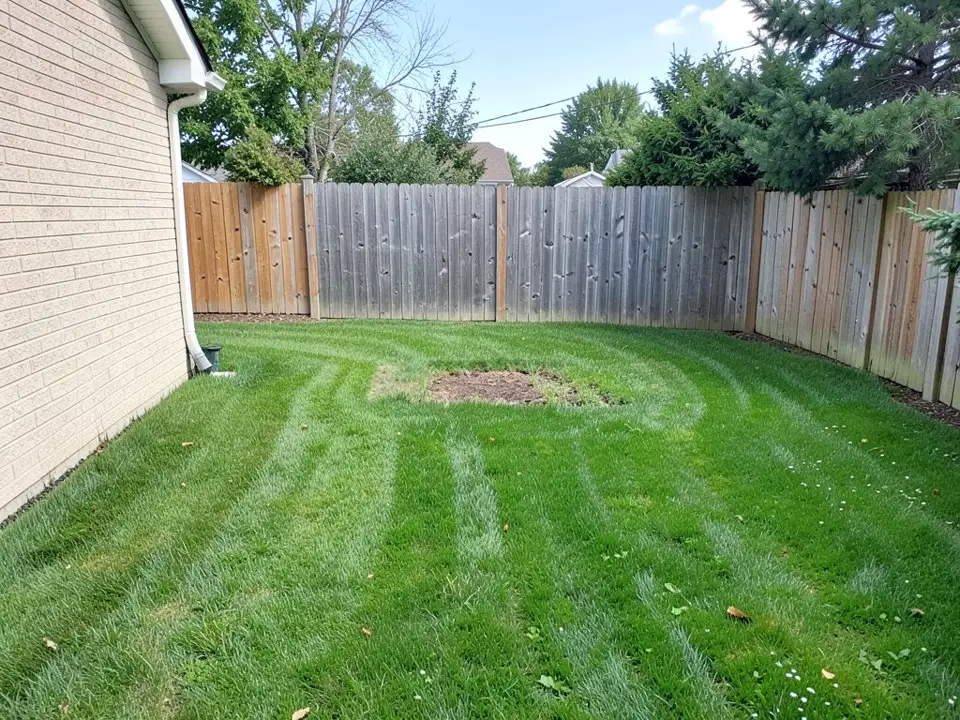
- Change ONLY a patch of the lawn in the middle: build a raised circular rock garden bed there with large grey boulders around the edge, gravel, and low flowering plants and succulents between the rocks. Keep the rest of the lawn, the fence, the house wall and the camera angle exactly the same.
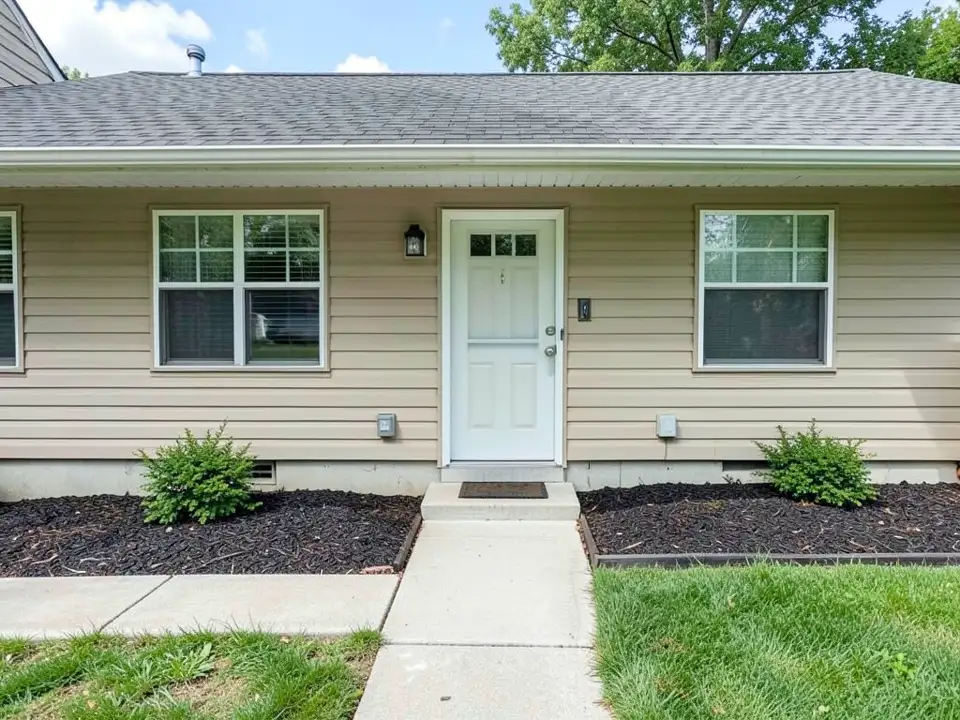
- Change ONLY the mulch bed along the house: replace the mulch with a dry rock garden of grey gravel, a few medium boulders and low succulents and grasses. Keep the house, the front door, the two shrubs, the path, the lawn and the camera angle exactly the same.
- Change ONLY the strip of bare soil along the fence: turn it into a rock garden with a few large grey boulders, grey gravel and low alpine and creeping plants. Keep the fence, the lawn, the patio slab and the camera angle exactly the same.
Frequently asked questions
What do I need to build a rock garden?
LawnLove lists pea gravel, crushed granite, river rock, pumice and boulders for the stone, and plants such as sedum, yarrow, phlox and succulents. Gardeningetc says to choose a sunny spot, lay about 6 inches of rubble for drainage, bury the lower third of each stone and fill between them with compost.
How much of a rock garden should be rock?
Gardeningetc says roughly 40 to 60 percent of the rock should show. Our picture examples are not drawn to that rule, so use them for the look only.
Do rock gardens need much upkeep?
LawnLove says there is no mowing, to water deeply but not often, and to use compost rather than harsh fertilizer. It is a lawn-care company, so ask a local nursery about your own plants.
Which plants suit a rock garden?
LawnLove names phlox, yarrow, purple coneflower, prickly pear, sedum, bayberry, sedges, mosses and succulents. Which of them will survive where you live depends on your climate and soil, which this page cannot tell you.
Can I see a rock garden on my own yard before building?
Yes, as a picture. Upload your yard photo in Custom mode and describe the rock garden. The result is a preview that may not follow every detail of the instruction, as our examples show, and one of our attempts came back unchanged.
Can your tool give me a plant list, drainage plan or stone quantities?
No. It draws a picture. It does not know your soil, climate or drainage, and it does not count stones or gravel. Use a local nursery or landscaper for those.
Do I need an account, and is it free?
You need an account, and it is free: 1 free render with a free account, and free renders carry a watermark. More renders and no watermark come with a paid plan.
Sources
The facts above come from these pages, which we read in October 2026. We are not affiliated with any of them.