
Residential landscape design, in plain terms
Residential landscape design is planning the whole outdoor space of a home: what goes near the house, how the yard is divided into areas, what you look at from the windows, and how water, light and plants work together. Three pages we read approach it from different sides: Ware Landscaping, a Chicago-area landscaping company, Exterior Worlds, a Houston landscape design firm, and a magazine article by Geoffrey Middeleer, a Connecticut landscape architect. All three promote their own services, so we only repeat the general advice they share.
- Fit the house: Ware says plants and materials should suit the home's architecture, style and setting.
- Divide the space into zones: Ware says hedges, screens and changes of level can separate dining, lounging and garden areas.
- Plan the view: Exterior Worlds says a fountain can be a focal point, and Middeleer says to design for the overall effect, not for each plant.
- Mix formal and loose: Ware suggests clipped greenery set against looser planting for contrast.
Planting near the house
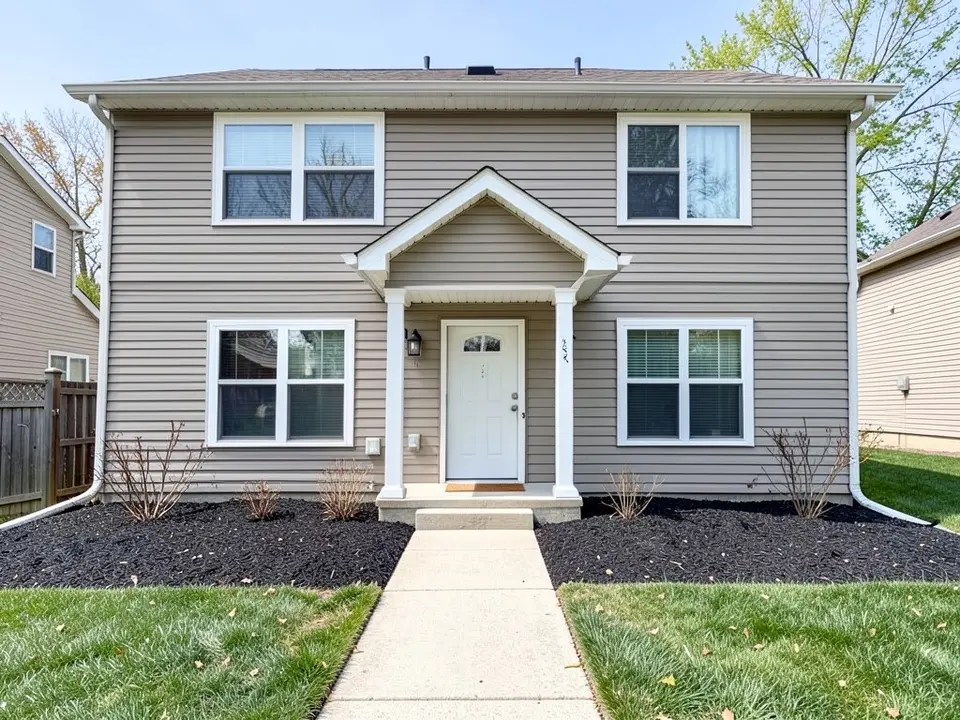
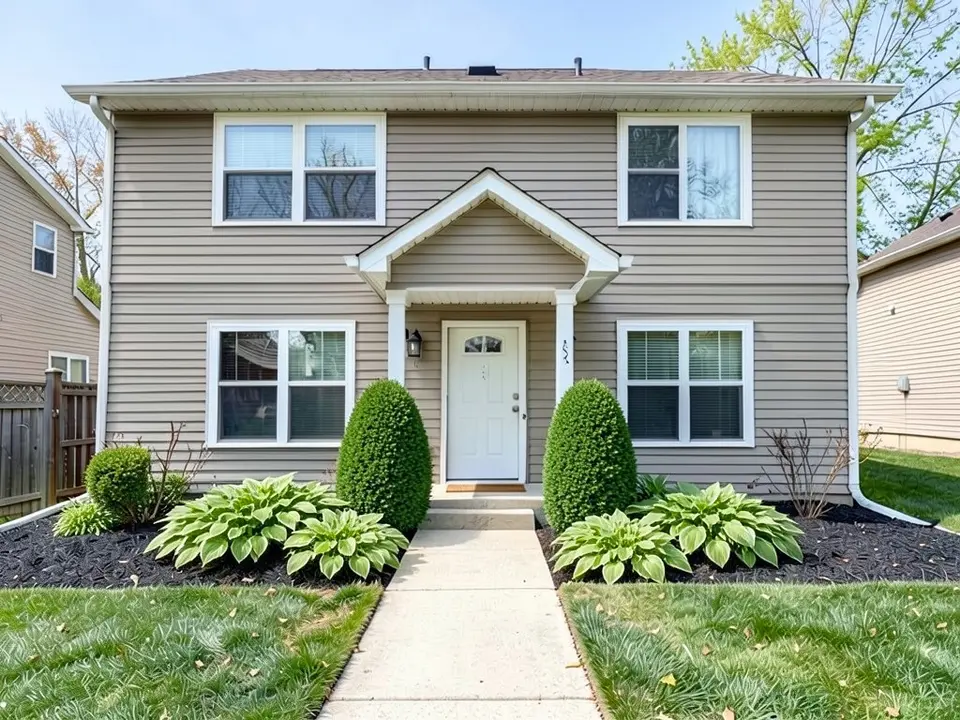
Middeleer, writing in New England Home, argues for restraint near the house. Too many unrelated plants make clutter, so limit the number and variety of foundation plants and check each one's mature size so it does not compete with the house. His example is evergreen boxwood flanking the main entrance and marking the building's corners, with low groups of deciduous shrubs and perennials such as hosta between them, placed to respond to the windows. Our first example tries that arrangement.
Middeleer says patios, formal gardens, perennial borders and vegetable gardens can hold more variety, because they are seen up close, and that repeating some plants through the yard unifies it. He adds that larger groupings of plants with similar needs lower upkeep.
Focal points, borders, lighting and water
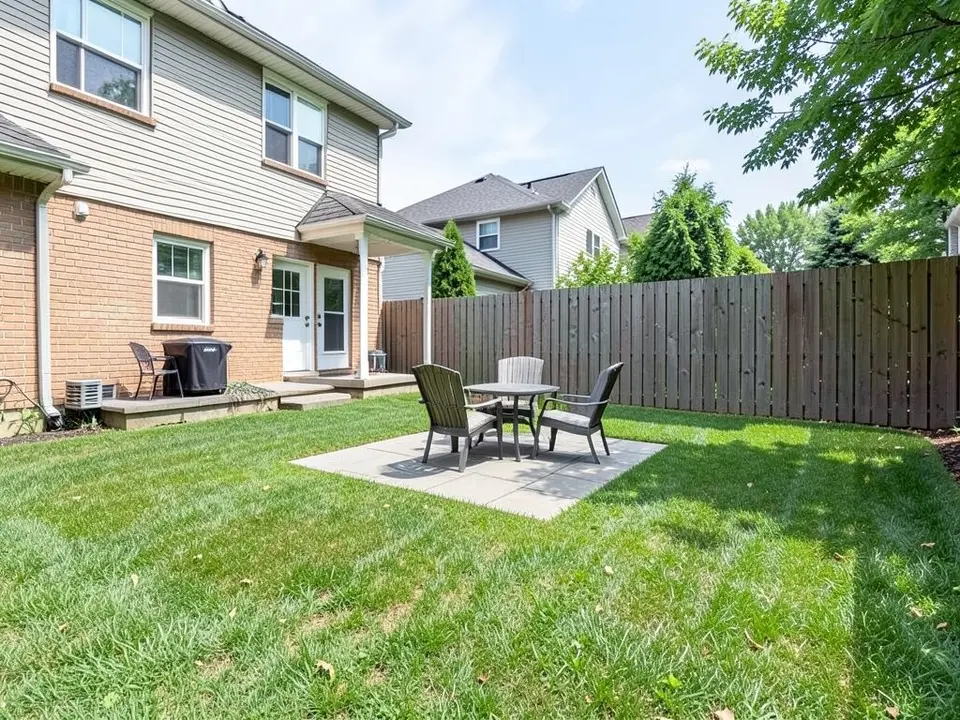
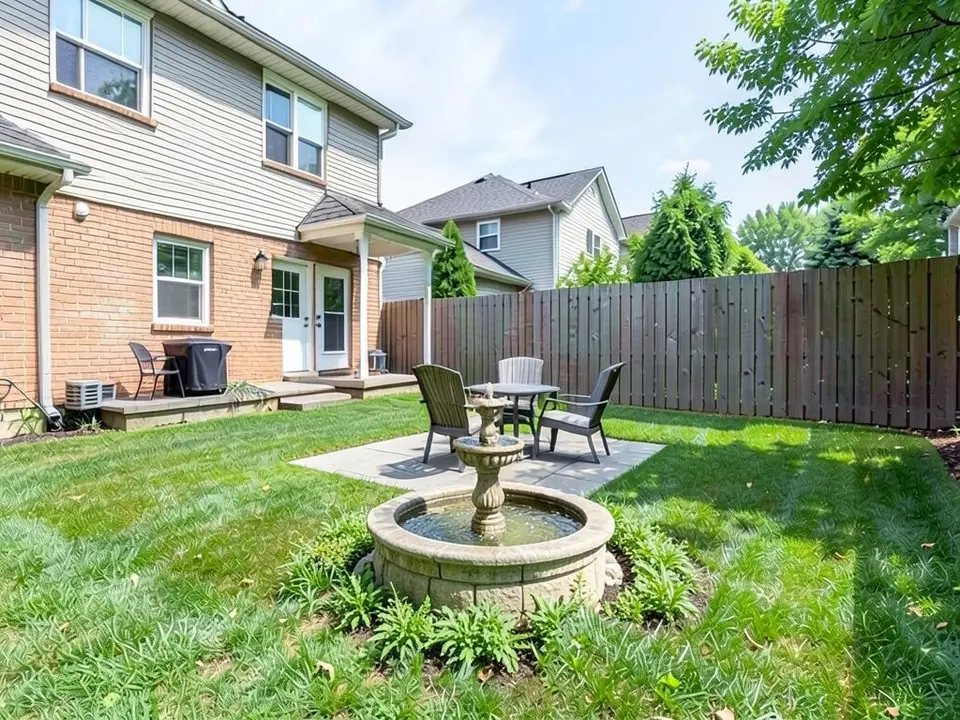
- A focal point: Exterior Worlds says outdoor fountains create a focal point and can mask background noise such as traffic, air conditioners and lawn mowers. Our second example adds one.
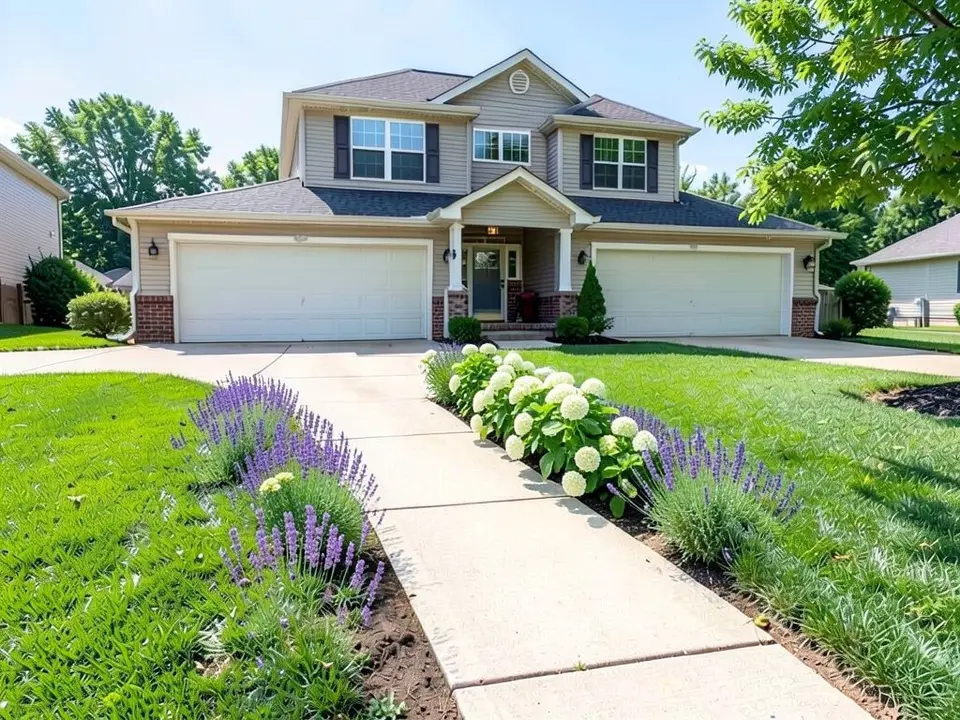
- Borders along walks and drives: Ware suggests flowering borders of hydrangea or lavender along walkways and driveways, which is what our third example tries.
- Lighting: Exterior Worlds says landscape lighting improves security and safe access and highlights trees and features, and calls it a relatively affordable way to raise property value. We do not repeat that as a number or a promise. See our landscape lighting design ideas page for lighting.
- Fences, walls and structures: Ware lists wood or wrought iron fences, partial stone walls that define a patio or seating area, shaded pergolas with lighting, and sheds that match the house.
- Climate and upkeep: Exterior Worlds says eco-friendly designs aim to cut ongoing watering, trimming, weeding and mulching, and Ware names native, drought-tolerant plants for low-maintenance landscapes.
Drainage, irrigation and the designer's process: leave to professionals
Exterior Worlds says drainage matters: catch basins, channel drains and French drains prevent standing water, which can attract mosquitoes, create slippery surfaces and wash out plantings, and zoned irrigation lets lawn, beds and color areas each get water that suits their plants and sun. Neither the picture nor our AI can plan any of that. It depends on your slope, soil and local rules, so ask a landscape professional.
Exterior Worlds also lists five steps in its design process: consultation and program development, property analysis, conceptual design, construction documentation and permitting, and construction. An AI picture can help at the start, to work out what you like before you talk to a designer. It is not a plan, and it replaces none of those steps.
How to try residential landscape ideas on your own photo
The tool above is already in Custom mode. The Yard Redesign styles have no text box, so you cannot name a plant, a feature or a position there. Custom lets you name what to add, where, and what must stay the same.
- Take the photo in daylight, standing back far enough to include the house front or the part of the yard you want to change.
- Describe the change in the Custom Design Requirements box: the plants or feature, where it goes, and what must stay the same, such as the house, the walkway and the lawn.
- Upload your photo under Upload Your Garden Image and click Generate Custom Design. You sign in with an email code or Google when you generate.
- Compare the result with your photo, change one thing at a time, such as the plants or the position, and run it again.
What the AI can and cannot do
The AI shows a look: roughly how a planting scheme, a border or a feature would sit on your own photo, in the plants and place you name. That helps you choose a direction and explain it to a designer or a landscaper.
It does not draw a plan, measure, grade or price anything, and it does not know your plant hardiness zone, your soil or your local rules. It also does not always follow the instruction, as the oversized shrubs, the fountain on the patio and the patchy border in the examples above show. Treat the result as a picture of an idea.
Residential landscape instructions to paste into Custom mode
These are the exact instructions we used for the three examples above, in the same order. In the tool above, Custom is already selected: paste one into the Custom Design Requirements box, then upload your photo. Swap in your own plants, feature and what must stay.
- Change ONLY the foundation bed along the front of the house: plant a neat evergreen boxwood shrub on each side of the front door and low hosta plants between them under the windows. Keep the house, the front door, the windows, the walkway, the lawn and the camera angle exactly the same.
- Change ONLY the lawn at the end of the patio: add a stone water fountain with a round basin as a focal point, with a ring of low green plants around its base. Keep the patio, the chairs, the fence, the house and the camera angle exactly the same.
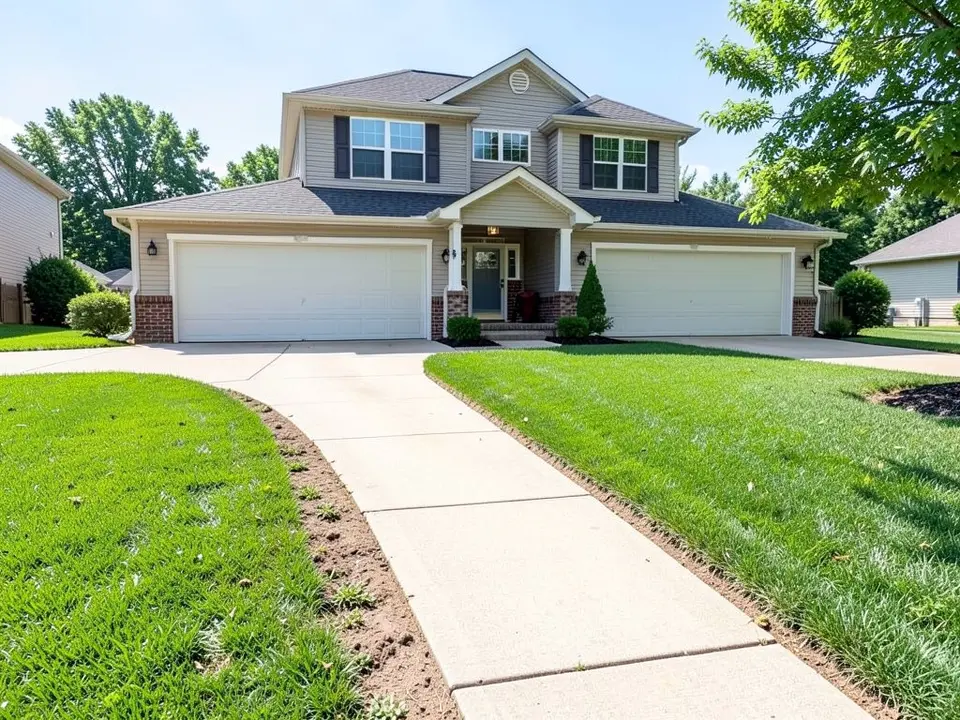
- Change ONLY the strip of bare soil along the walkway: plant a flowering border of purple lavender and white hydrangea along the edge of the walkway. Keep the house, the garage, the driveway, the walkway, the lawn and the camera angle exactly the same.
Frequently asked questions
What is residential landscape design?
It is planning the outdoor space of a home as a whole: planting near the house, zones for dining and lounging, focal points, borders, lighting, water and drainage. Ware Landscaping, Exterior Worlds and Geoffrey Middeleer's magazine article each describe parts of it, and all three promote their own design services.
What are the main elements of residential landscape design?
Ware says it rests on nine essential elements but does not list them in the text we read. The ideas the three pages share are fitting the house, dividing the space into zones, a focal point, planting with restraint, borders, lighting, fences or walls, and drainage and irrigation.
How do I design planting near my house?
Middeleer suggests limiting the number and variety of plants so they do not compete with the house, checking each plant's mature size, flanking the entrance with evergreen boxwood and filling between with low shrubs and perennials such as hosta. Our first example tries that arrangement.
What does a landscape designer do?
Exterior Worlds lists consultation and program development, property analysis, conceptual design, construction documentation and permitting, and construction. The AI picture on this page is a rough stand-in for the idea stage only.
Can I try a landscape design on my own photo before hiring anyone?
Yes. Upload a photo above, choose Custom, describe the plants or feature and where it goes, and the AI returns the same view with it drawn in. It shows the look only and does not always follow the instruction exactly, as the captions above show.
Can the AI plan drainage or irrigation?
No. It draws what you describe. Drainage and irrigation depend on your slope, soil and local rules, so ask a landscape professional.
Do I need an account, and is it free?
Create a free account with an email code or Google to generate. You get 1 free render, and free renders carry a watermark. More renders and no watermark come with a paid plan.