
How AI pool design works
The AI pool design tools we looked at, from GenRoom and DecoEpoch to the AI Pool Design: Landscape AI app and MyPoolDesigner.ai, follow the same steps: you upload a photo of your yard, choose a pool shape and materials or describe them, and get back an image of the same yard with a pool in it. GenRoom's guide says these renders are visuals for planning, not construction plans.
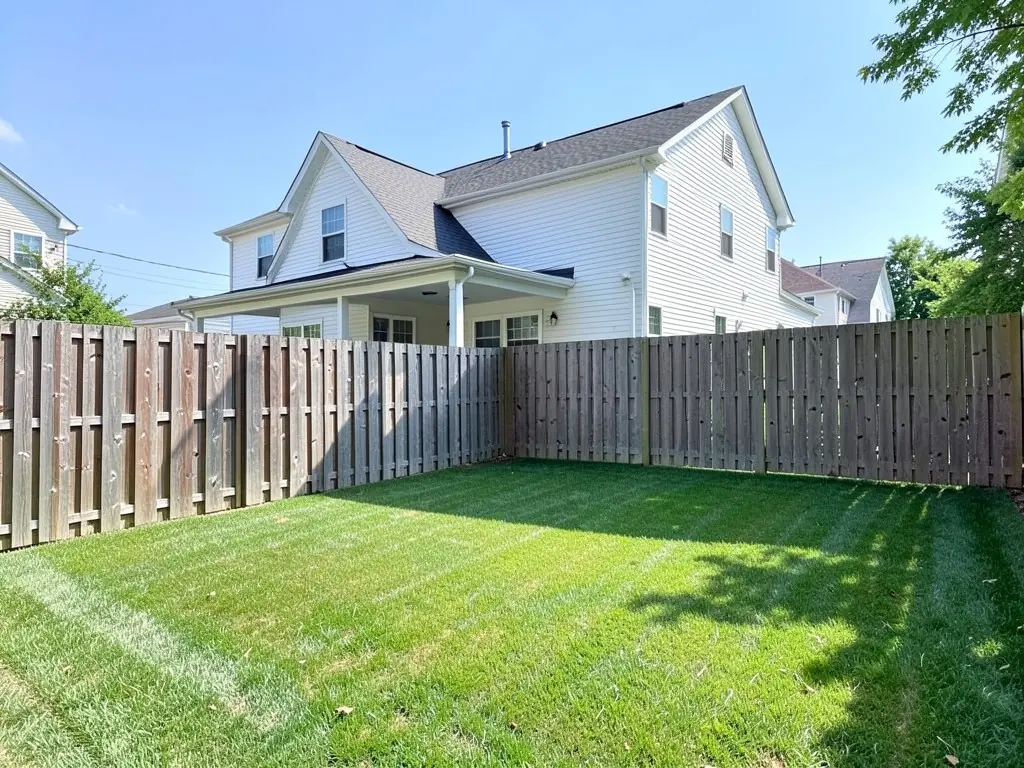
Ours works the same way. It edits your own photo instead of drawing a new yard, so the house, the fence and the camera angle can stay as they are while a pool, its coping and its deck appear on the lawn. You can compare a few pool ideas in your own yard before you talk to a builder.
Pool shapes to try
GenRoom's guide to AI pool design describes the common shapes and where each one fits. Our three examples show a rectangle, a freeform pool and a plunge pool.
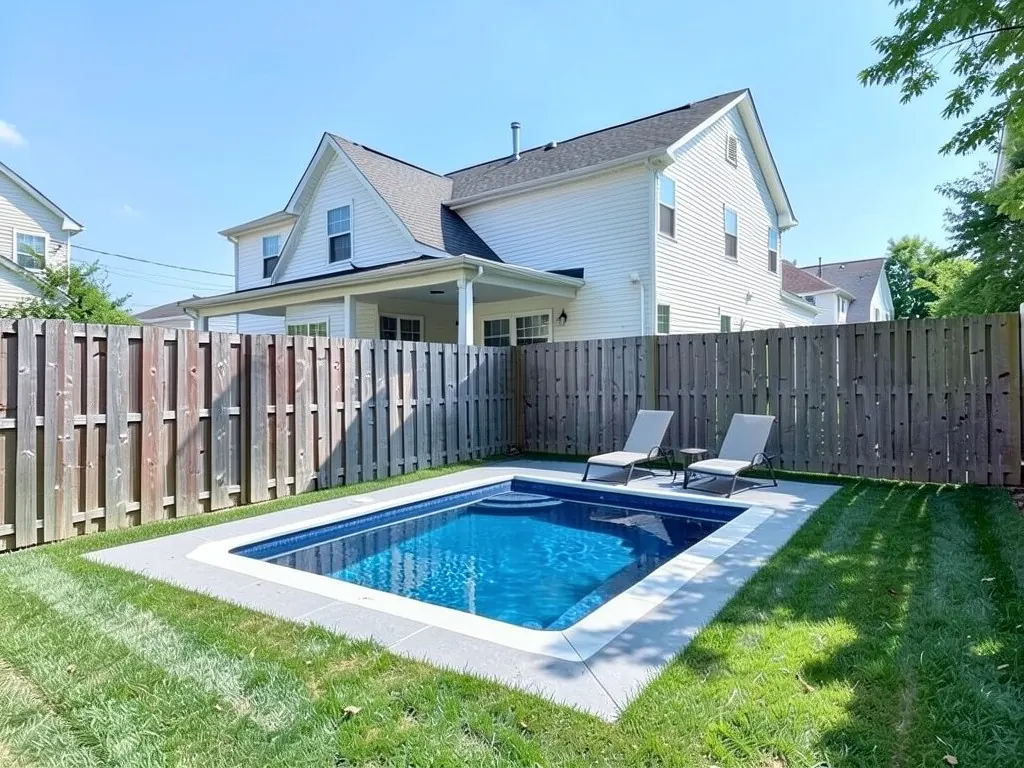
- Rectangular: Clean lines that suit modern homes, lap swimming and automatic covers, according to GenRoom. Our first example is a rectangle with white coping.
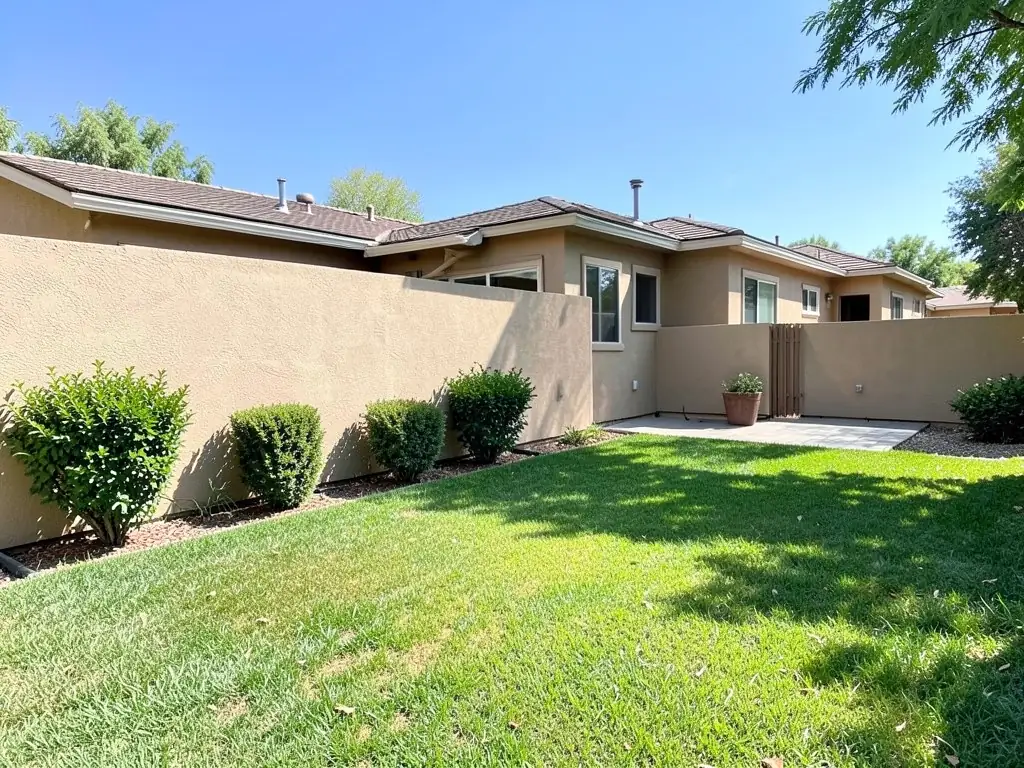
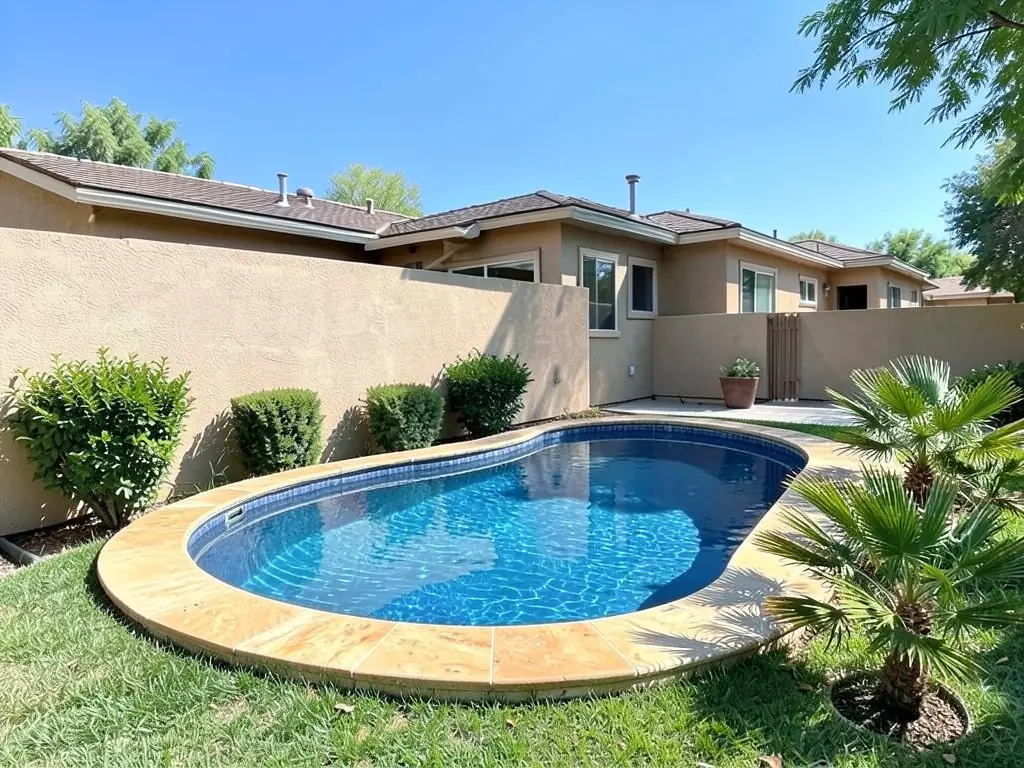
- Freeform: Curved edges that blend into a garden and can hide awkward corners. Our second example is a freeform pool with tan stone coping.
- Kidney or L-shaped: GenRoom suggests these for irregular lots, to wrap around a tree or a patio or to split shallow and deep areas.
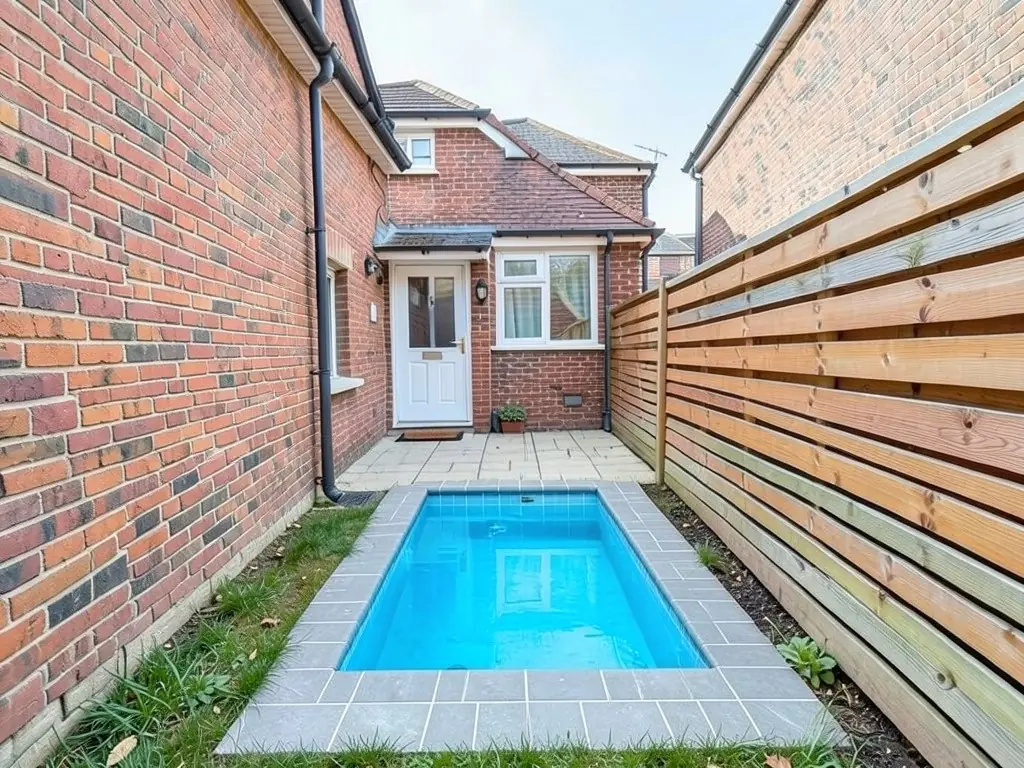
- Plunge: A compact pool for a small or urban yard. Our third example puts one into a narrow lawn.
- Lap: Long and narrow, for exercise, often along a side of the yard.
- Infinity edge: GenRoom suggests it for sloped lots or lots with a view.
Coping, deck and finish
The coping is the edge around the top of the pool, and the deck is the paving around it. GenRoom's pool tool offers travertine, porcelain, flagstone, Ipe wood, concrete and natural stone for the deck. DecoEpoch lets you pick pool materials such as concrete, fiberglass, vinyl, stone and mosaic or glass tile, plus lighting.
Name the coping and the deck separately in your instruction. In our second example we asked for stone coping and a travertine deck, and the AI drew only the wide coping. For deck ideas around a pool you already have, see our pool deck ideas page; for planting and privacy, see our pool landscaping ideas page.
What to write in your instruction
The tool above is in Custom mode, so the result depends on what you type. In our tests, short and exact instructions worked better than long wish lists.
- Say what may change: Start with "Add ONLY an in-ground pool", so the AI knows the pool is the only new thing in the photo.
- Name the shape and size: "A rectangular pool", "a curved freeform pool" or "a small rectangular plunge pool". Say "small" or "large" so it knows how much of the lawn to use.
- Say where it goes: "In the middle of the lawn" or "along the left fence". Even then it may move the pool: our first example ended up toward the back corner.
- Name the coping, the deck and the water: "White coping and a light grey concrete deck" or "tan stone coping with a travertine deck". Ask for "filled with blue water" if you want it full; our plunge pool came out nearly empty until we added that to the instruction.
- Count the furniture and say what must stay: Ask for "two lounge chairs" and end with "Keep the house, the fence and the camera angle exactly the same."
Where the pool can go
DecoEpoch's guide advises against putting a pool in a shaded corner and suggests adding safety fencing to your requirements. GenRoom's guide says setback distances from property lines, the house and septic systems must be confirmed with your local building authority, and that depth, structure and permit-ready plans have to come from a licensed pool professional.
The AI does none of that. It draws a pool wherever you ask, or wherever it decides, so use the picture to choose a shape and a look, then ask a pool builder whether it fits. If your yard is small, our small backyard pool ideas page has more starting points.
How to try a pool design on your own photo
The tool above is already in Custom mode. The Yard Redesign styles have no text box, so you cannot ask for a freeform pool with stone coping and two palms there. Custom lets you name the pool, its shape, what goes around it and what must stay the same.
- Take the photo in daylight at eye level from a corner or the far end of the yard, with the lawn where the pool would go and part of the house and fence in frame.
- Describe the pool in the Custom Design Requirements box: the shape and size, where it goes, the coping, the deck, any furniture, and what must stay the same, such as the house, the fence and the camera angle.
- Upload your photo under Upload Your Garden Image and click Generate Custom Design. You sign in with an email code or Google when you generate.
- Compare the result with your photo. If it moved the pool, left out the deck or drew it empty, say so more exactly and try again. Each run comes out a little different.
What the AI can and cannot do
The AI shows a look: roughly how a pool of a given shape and finish would sit in your own yard. That helps you choose between a rectangle, a freeform pool or a plunge pool and talk it through with your family or a pool builder.
It does not measure the yard, set the depth, plan the plumbing, price the work or check setback, fencing or permit rules. It also does not always follow the instruction: in the examples above it put the rectangle near the back corner instead of the middle, left out the travertine deck and, on the first try, drew the plunge pool nearly empty. Treat the result as a picture of an idea.
AI pool design instructions to paste into Custom mode
These are the exact instructions we used for the three examples above, in the same order. In the tool above, Custom is already selected: paste one into the Custom Design Requirements box, then upload your photo. Swap in your own shape, materials, position and what must stay.
- Add ONLY an in-ground rectangular swimming pool in the middle of the lawn with blue water, white coping and a light grey concrete deck around it, with two lounge chairs on the deck. Keep the house, the fence and the camera angle exactly the same.
- Add ONLY a curved freeform in-ground pool with blue water and tan stone coping on the lawn, with a travertine deck around it and a few palm-like plants at one end. Keep the house, the wall, the patio and the camera angle exactly the same.
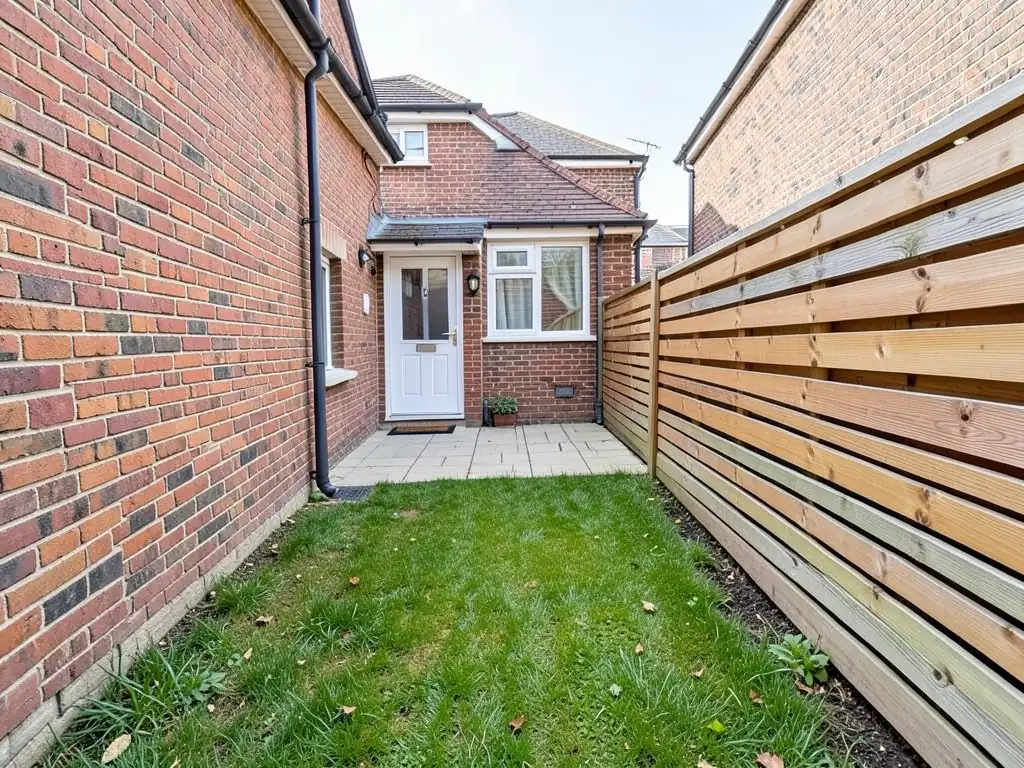
- Add ONLY a small rectangular plunge pool set into the lawn, filled to the top with clear bright blue water, with light blue tile inside and grey porcelain pavers around it. Keep the house, the fence, the paved area and the camera angle exactly the same.
Frequently asked questions
Can AI design a pool for my backyard from a photo?
Yes. Upload a photo of your yard, describe the pool in Custom mode, and the AI returns the same view with the pool, its coping and its deck drawn in. It edits your photo rather than drawing a new yard.
Which pool shape should I try first?
Try the one that fits your yard. GenRoom's guide suggests a rectangle for modern homes and lap swimming, a freeform pool to blend into a garden, a kidney or L shape for irregular lots and a plunge pool for small yards. You can try each on the same photo.
What should I type to get a good result?
Say that only a pool may be added, then name the shape, the size, where it goes, the coping, the deck and the furniture, and end with what must stay the same. The three instructions printed on this page are a good starting point.
Will the pool be placed exactly where I ask?
Not always. In our first example we asked for the middle of the lawn and it put the pool toward the back corner. Compare the result with your photo and try again with a more exact place if it moves.
Is the AI image a plan I can give to a pool builder?
No. It is a picture of an idea. GenRoom's guide says depth, structure and permit-ready plans must come from a licensed pool professional, and setbacks must be checked with your local building authority. Show the picture to a builder as a starting point.
Why does the result change every time I generate?
Each run starts from a different random seed, so the same instruction gives a slightly different pool each time. We tried three seeds for each example on this page and show the best one.
Do I need an account, and is it free?
Create a free account with an email code or Google to generate. You get 1 free render, and free renders carry a watermark. More renders and no watermark come with a paid plan.