
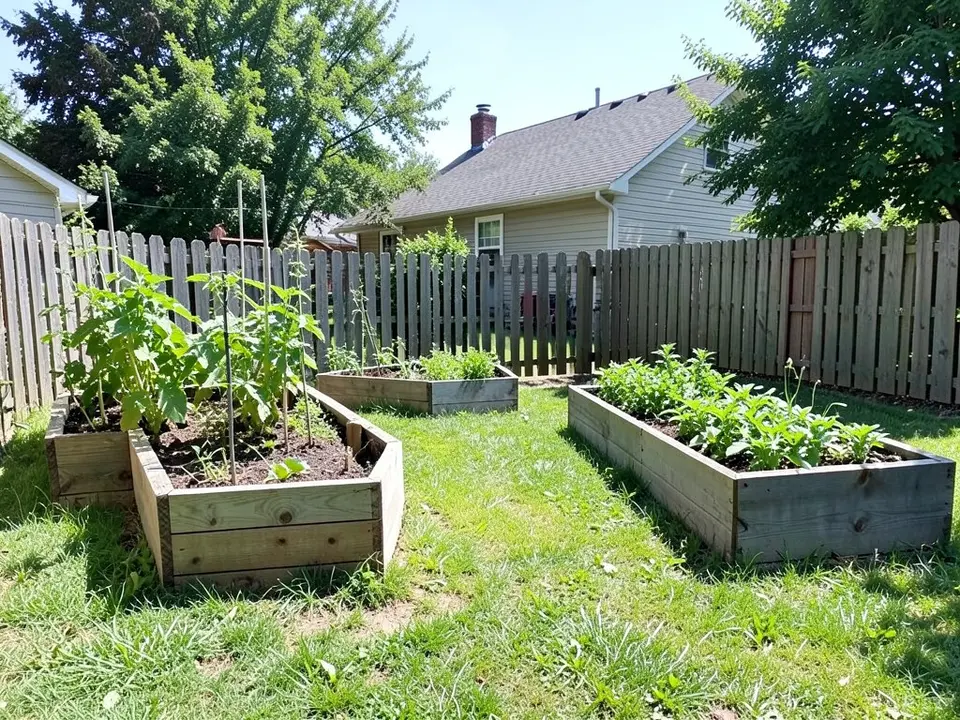
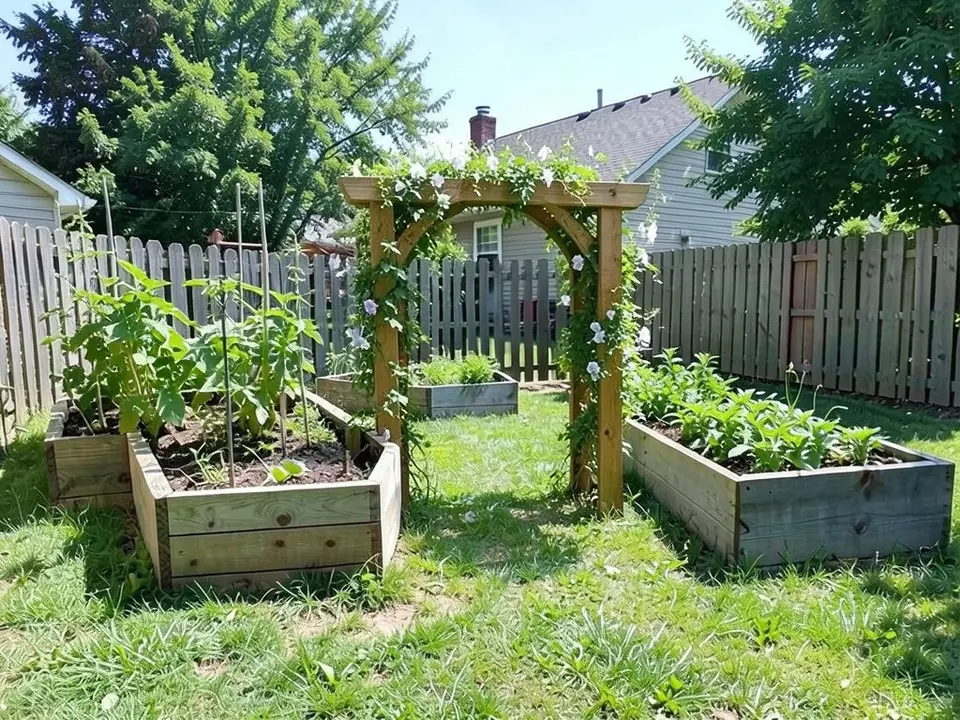
Garden arbor ideas, one by one
Gardenista and Walpole Outdoors, which sells vinyl arbors, give these ideas.
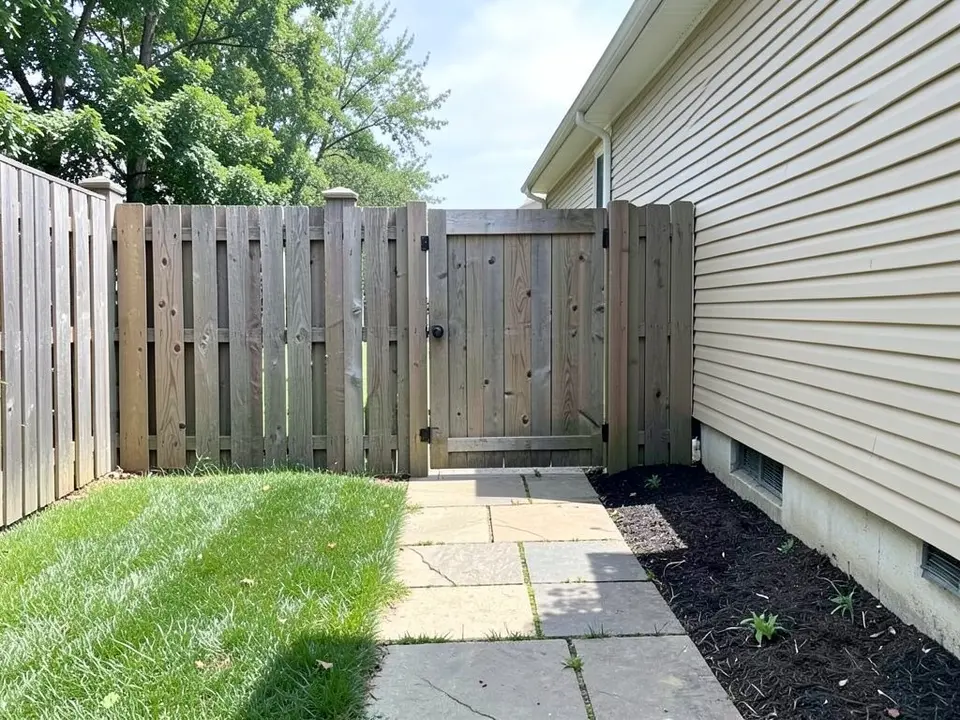
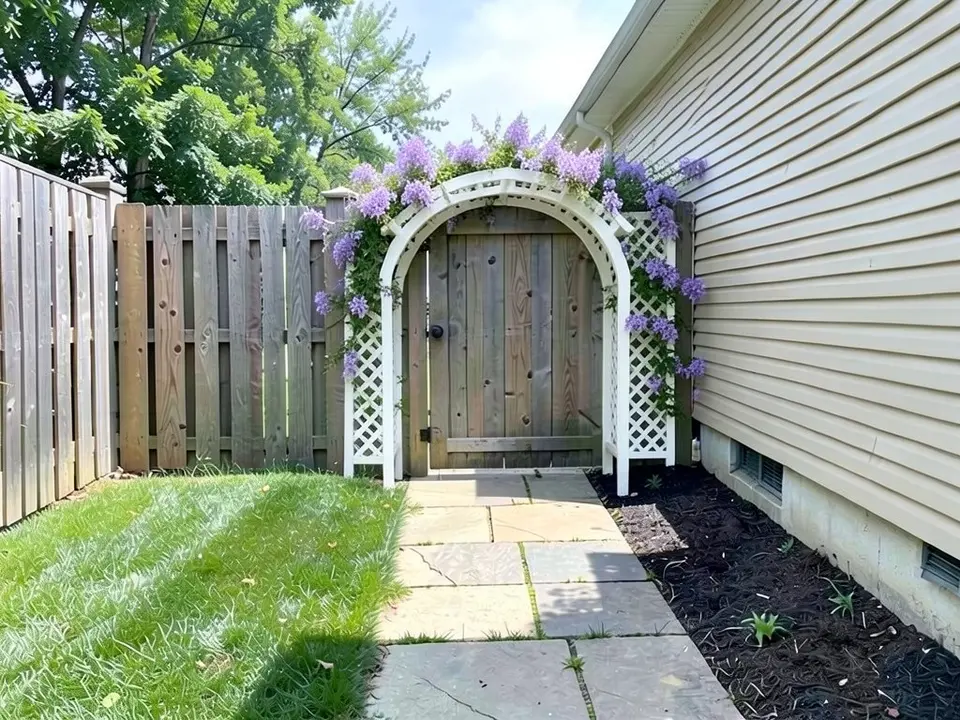
- Over a gate: Gardenista says an arbor can pair with a gate or stand alone as a doorless opening. Walpole suggests pairing an arbor with fencing on each side so it feels integrated rather than floating in the lawn. Our first example puts an arbor over a gate.
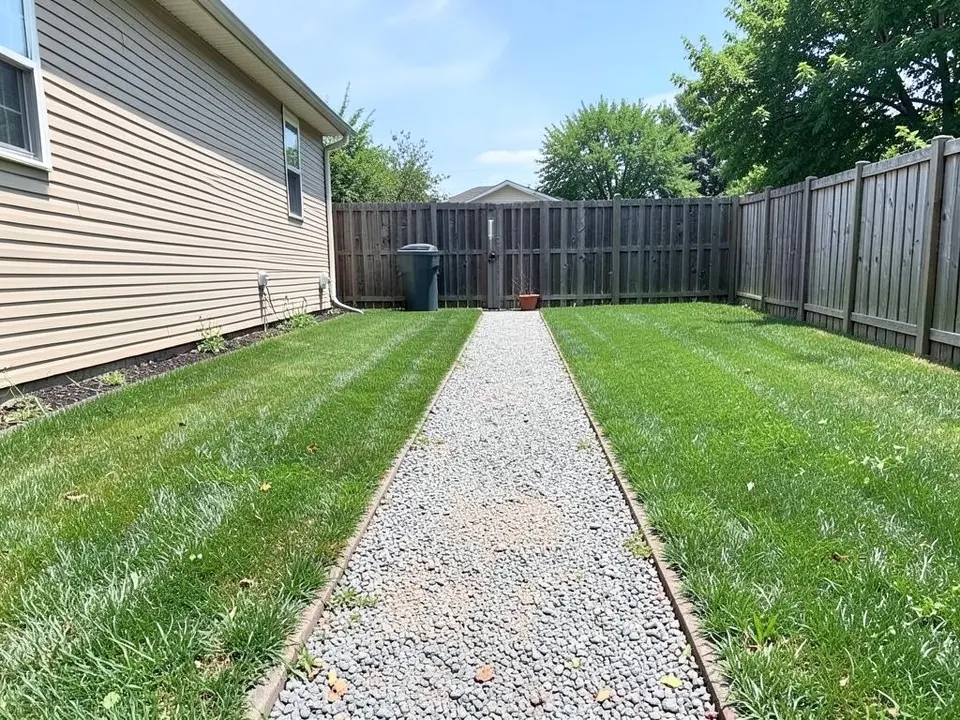
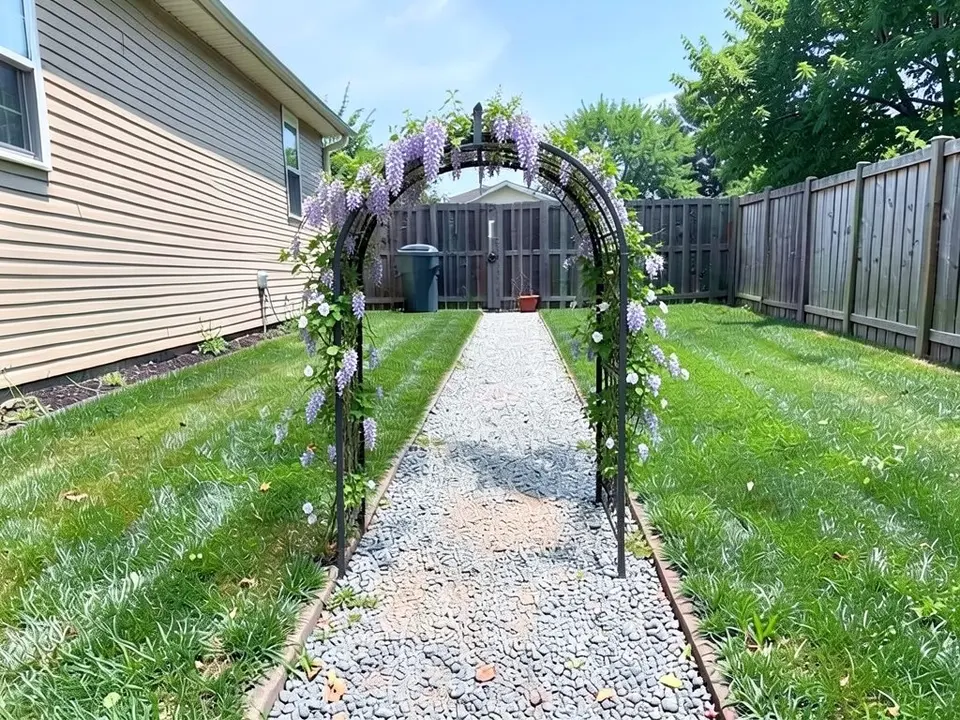
- Along a path: Walpole suggests spacing several arbors along a path so climbing plants eventually form a tunnel. Gardenista says several moon gate arbors placed three to five feet apart, with plants filling the gaps, can create a hallway of plants at the garden entrance. Our second example has one arch on a path.
- At a corner or an end: Walpole suggests placing an arbor at the end of a sightline, around a bench or sculpture, or at a bed corner. Gardenista says a bench arbor works well in a garden corner, with a path leading to it so it becomes a destination.
- Seating: Walpole suggests adding a bench for a covered seating retreat.
- Partial views: Gardenista says partial views through an arbor make the garden beyond feel more inviting.
Arbor, pergola or trellis? Gardenista's way to tell them apart
Gardenista describes an arbor as a freestanding structure that forms an entrance to a garden, with an arched or gabled shape that frames a gate or path. It says a pergola is a rooftop grid that vines can be trained over for shade, roughly room-sized, and a trellis is a flat grid propped against a wall or fence. Its analogy is that the pergola is the ceiling, the trellis is the wall and the arbor is the doorway. Walpole says an arbor is narrower, often arched, and built for entrances and short garden pathways, while a pergola is larger, with open beams, and built to cover a patio or seating area.
So this page is about the doorway. For a covered patio or seating area, see our pergola ideas page.
Sizes, materials and plants
- Size: Gardenista says an arbor should be tall and wide enough to walk through, at least six feet high and three feet wide, with overall widths from three to 10 feet, and a three-foot-wide arbor ideal for most home gardens. Walpole, which sells arbors, gives at least 4 feet wide for comfortable single-person passage, 4 feet as the minimum for a walk gate and 4.5 to 6 feet for a principal entrance. The two pages do not agree, so measure how you will use it.
- Materials: Gardenista lists iron, steel, wood and wood polymer composite, says wood and metal have the most classic looks, and recommends weather-resistant cedar or powder-coated metal for longevity. It says the arbor must be sturdy enough to bear the weight of mature climbing plants. Walpole recommends its own vinyl, which makes its material view a seller's. Our third example is wood and our second is metal.
- Plants: For an arched arbor Gardenista lists passionflower, clematis, jasmine, climbing nasturtium, coral honeysuckle and climbing rose. Walpole lists climbing roses, clematis, honeysuckle and jasmine, says wisteria and climbing hydrangea are dramatic but demand the strongest support, and says annuals like sweet peas and morning glories can fill in during the first season while perennials establish.
How to try a garden arbor on your own photo
The tool above is already in Custom mode. The Yard Redesign styles have no text box, so you cannot name the arbor, the material or the climbers there. Custom lets you name what to add, where it goes, and what must stay the same.
- Take the photo in daylight, showing the gate, path or entrance where the arbor would go, from a straight-on angle.
- Describe the arbor in the Custom Design Requirements box: the material and color, the shape, where it stands, the climbers, and what must stay the same, such as the gate, the fence and the path.
- Upload your photo under Upload Your Garden Image and click Generate Custom Design. You sign in with an email code or Google when you generate.
- Compare the result with your photo. If the arbor sits in the wrong place, say exactly where in the instruction and run it again.
What the AI can and cannot do
The AI shows a look: roughly how an arbor and its climbers might sit on your own photo. That helps you compare materials and shapes and explain what you want to a builder or a nursery.
It does not know your measurements, your gate, your soil or your climate, it does not draw to a real size, and it does not always follow the instruction, as the flat top, the arbor standing partway along the path and the unclear plants in the examples above show. Check the width, the support and the plants before you buy.
The exact instructions behind the arbor examples
These are the exact instructions we used for the three examples above, in the same order. In the tool above, Custom is already selected: paste one into the Custom Design Requirements box, then upload your photo. Swap in your own arbor material, shape and climbers.
- Change ONLY the area around the gate: add a white wooden arched garden arbor with lattice sides standing over the gate, with purple clematis climbing up it in bloom. Keep the gate and the path. Keep the house, the fence, the camera angle, the lighting and everything else exactly the same.
- Change ONLY the gravel path: add a black metal arched garden arbor straddling the start of the path, with wisteria and a climbing honeysuckle growing over it. Keep the house, the fence, the camera angle, the lighting and everything else exactly the same.
- Change ONLY the gap in the picket fence: add a tall rustic cedar garden arbor with two thick posts and an arched top, about seven feet high, standing over the entrance gap, with climbing sweet peas and green vines growing up it. Keep the house, the fence, the camera angle, the lighting and everything else exactly the same.
Frequently asked questions
What is the difference between an arbor and a pergola?
Gardenista says a pergola is a rooftop grid for shade, roughly room-sized, a trellis is a flat grid against a wall or fence, and an arbor is a doorway into the garden. Walpole says an arbor is narrower, often arched, and built for entrances and short paths, while a pergola is built to cover a patio or seating area.
How big should a garden arbor be?
Gardenista says at least six feet high and three feet wide to walk through, with overall widths from three to 10 feet. Walpole, a vinyl arbor seller, gives at least 4 feet wide for comfortable passage and 4.5 to 6 feet for a principal entrance with a gate.
What should an arbor be made of?
Gardenista lists iron, steel, wood and wood polymer composite, and recommends weather-resistant cedar or powder-coated metal for longevity. Walpole recommends vinyl, which it sells.
What plants grow on an arbor?
Gardenista lists passionflower, clematis, jasmine, climbing nasturtium, coral honeysuckle and climbing rose for an arched arbor. Walpole says wisteria and climbing hydrangea need the strongest support, and sweet peas or morning glories can fill in during the first season.
Can I put an arbor over a gate or a path?
Yes, both are described. Gardenista says an arbor can pair with a gate or stand alone as an opening, and several moon gate arbors three to five feet apart can form a hallway of plants. Walpole suggests spacing several along a path so the plants form a tunnel.
Can the AI tell me what size of arbor fits my gate?
No. It draws the look you describe, not a size to scale, and does not always follow the instruction, as the captions above show. Measure your gate or path and check the width against the sizes above.
Do I need an account, and is it free?
Create a free account with an email code or Google to generate. You get 1 free render, and free renders carry a watermark. More renders and no watermark come with a paid plan.