
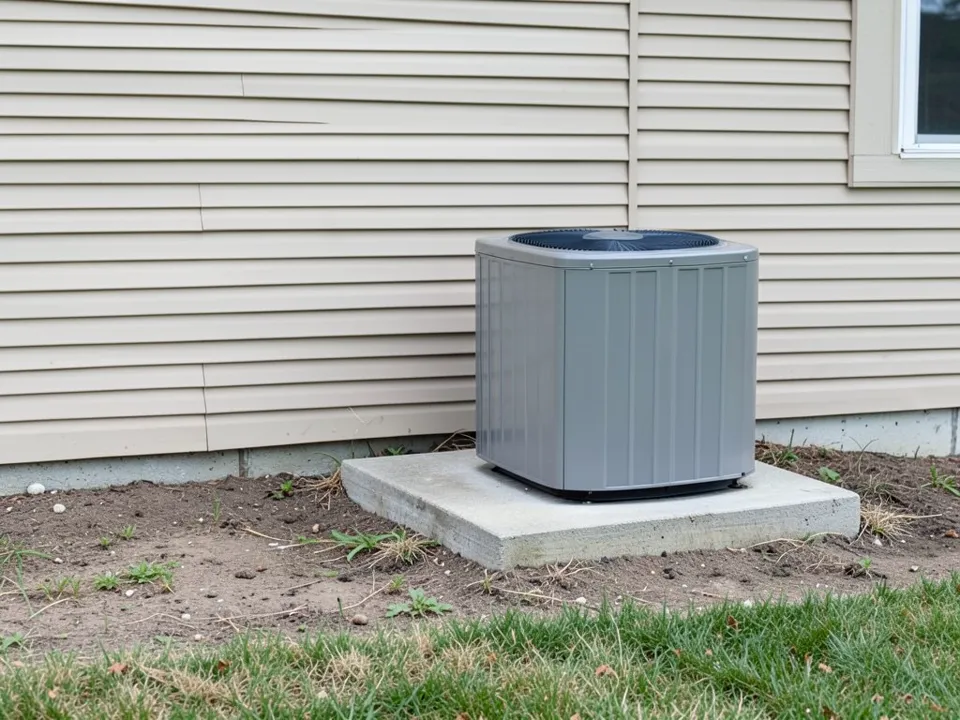
How much room to leave around the unit
Consumer Reports advises keeping plants and structures at least 2 to 3 feet away from the unit, and quotes Lisa Stryker of the National Association of Landscape Professionals saying to confirm the right amount of space in the owner manual. It also says to leave room for you or a technician to reach and service the unit, and to keep 5 feet of open space above the unit, below any overhanging tree.
Veranda quotes landscape architect Margie Grace: keep plants out of the three feet around the unit, and fill that zone with gravel rather than mulch. The article adds that the unit must stay easy to reach for service.
Your unit manual has the final word for your model, so check it before you plant or build anything.
Screens that still let air through
A screen is the quickest way to make a unit less of an eyesore. Veranda says a screen allows airflow while protecting the unit from stray balls, a chewing puppy and mowing debris. Keep it at the clearance distance above, and leave one side open so a technician can get in.
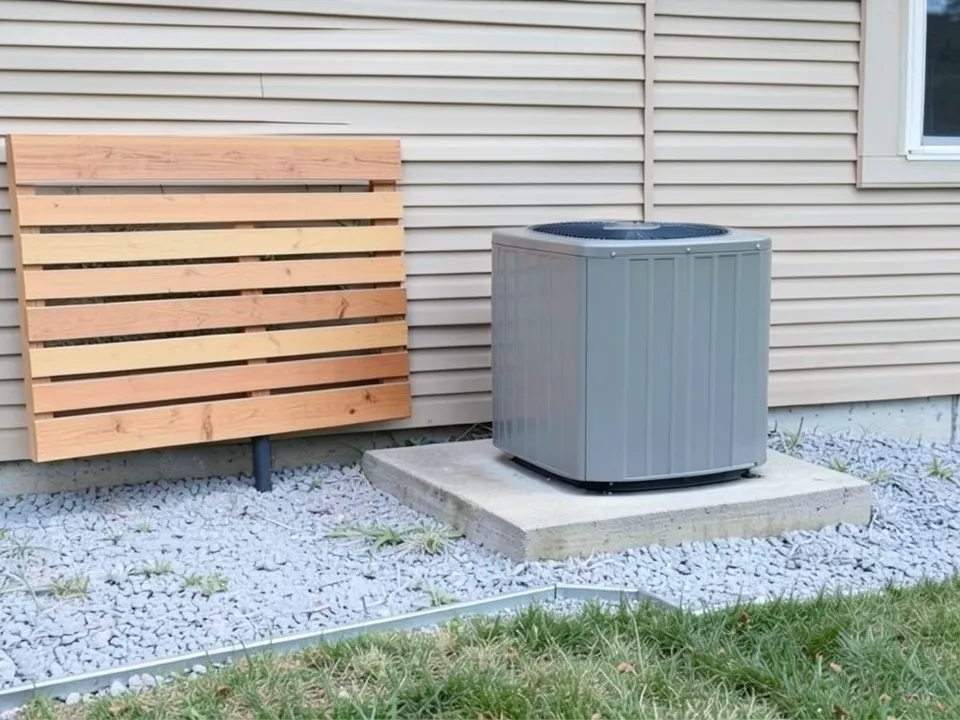
- 1. Slatted wood panels: Horizontal cedar slats with gaps between them look like a short piece of fence. Set them out from the unit, not tight against it (our third example).
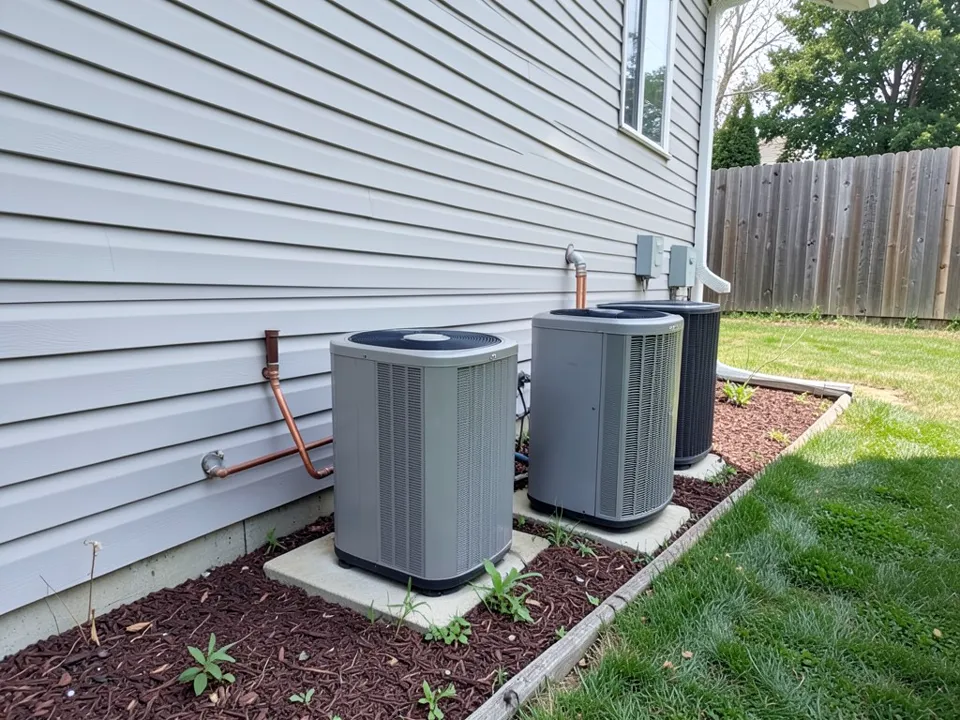
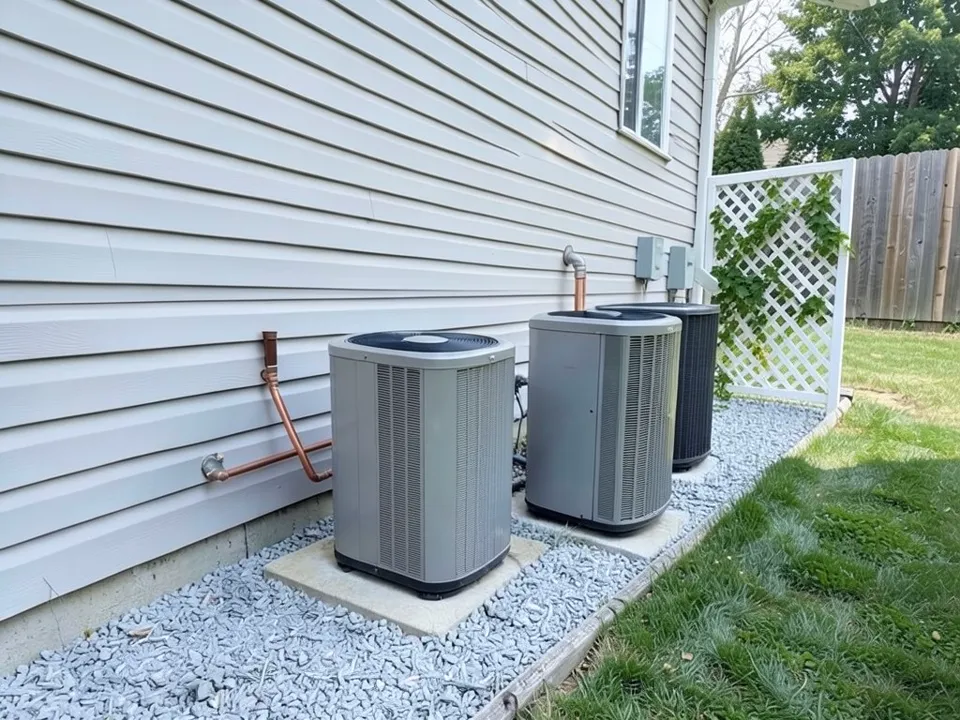
- 2. Lattice with a climbing vine: Consumer Reports quotes Lisa Stryker suggesting lattice with greenery and vines as a screen. A freestanding panel at the end of a row works on a narrow side yard (our first example).
- 3. Trellis panels: Veranda says Margie Grace often surrounds units with screens or trellis panels planted with climbers, which give a green wall instead of a wooden one.
- 4. Screen only the side people see: If the unit is visible only from the patio or the street, one panel on that side may be enough, and the other sides stay open.
Gravel and stone beds around the pad
- 5. A gravel border zone: Veranda quotes Margie Grace preferring gravel to mulch in the zone right around the unit because it stays in place.
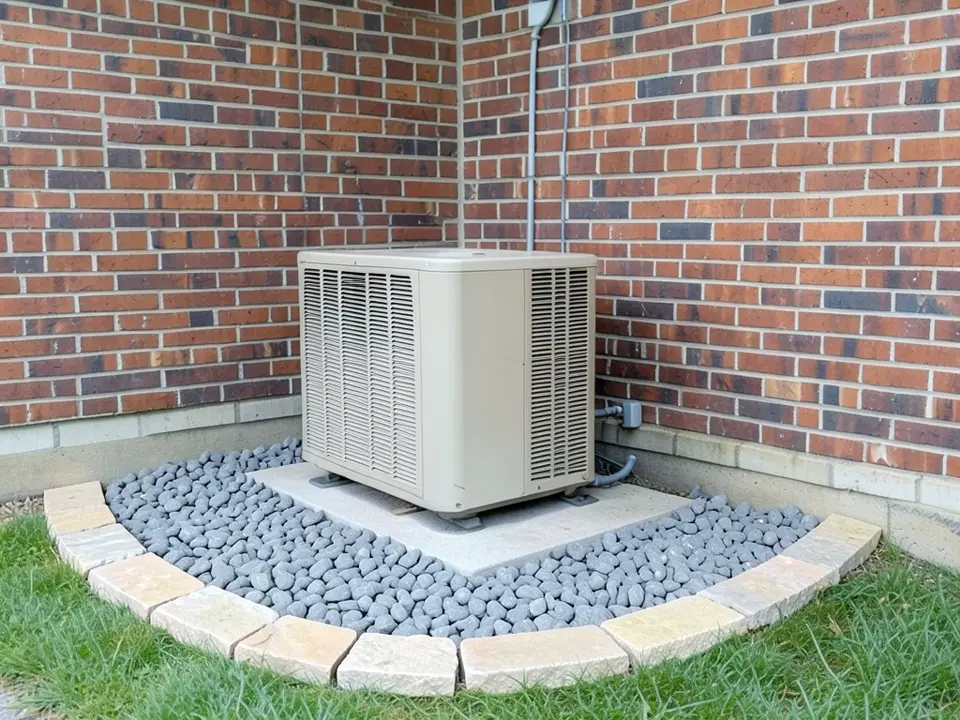
- 6. A stone border filled with crushed rock: Consumer Reports suggests ringing the pad with a stone edge and filling it with crushed rock, so rain drains away and plants stay back.
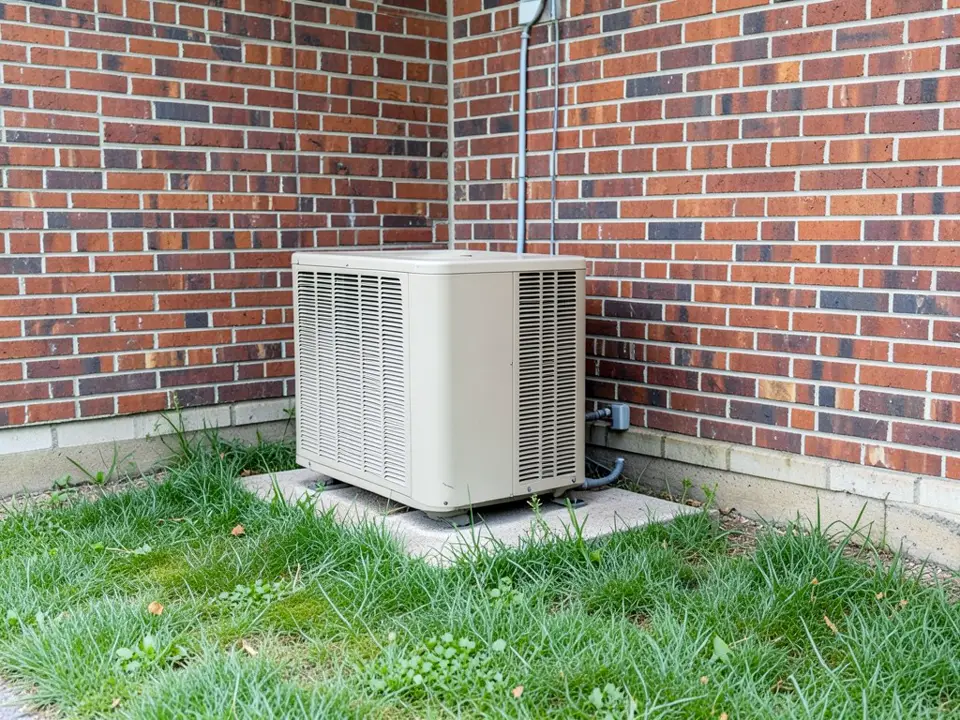
- 7. River rock: Smooth rounded stone gives a softer look than crushed gravel (our second example).
- 8. Firm edging: Steel or stone edging keeps the stone off the lawn. Consumer Reports warns that rocks kicked up by a mower, and knocks from a mower or string trimmer, can damage the unit, so keep the stone contained and trim with care.
Plants that work near an AC unit
- 9. Dense evergreens: Veranda says Margie Grace looks for dense plants and likes evergreens because they keep their leaves all year. For trees, Consumer Reports suggests kinds that hold their leaves through winter, such as evergreens, so falling leaves do not get in the way of the fan.
- 10. Avoid plants that shed: Veranda gives tall grasses as an example: they drop leaves and flop in the wind even when planted three feet away.
- 11. Step heights down: Veranda quotes Margie Grace putting taller plants just beyond the border zone and shorter ones further from the unit, which she describes as softening the unit.
- 12. Keep hedges trimmed: Consumer Reports says a hedge can work as a screen as long as it is kept trimmed back.
- 13. Mind the trees above: Consumer Reports says to keep 5 feet of open space above the unit, below any tree.
Vertical gardens and planters
On a tight side yard there may be no room for a bed. Veranda says that where a bed would block a path, Margie Grace may use tall, narrow planters or a trellis with vines instead. Pots are easy to move, so you can shift them back if a technician needs room.
How to try ideas around your AC unit on your own photo
Use Custom mode for this. The Yard Redesign styles add a fixed instruction that only lets the AI change the lawn, plants, beds, paths and patio, and it does not mention the unit, so they are not made for adding a screen or lattice or for keeping the unit in view.
- Photograph the unit in daylight from where you usually see it, with the phone level and the unit, its pad and some of the yard around it in frame. JPG or PNG works.
- Open the landscape tool and sign in with Google or an email code. You get 1 free render with a free account.
- Under Select Landscape Mode, pick Custom.
- In the Custom Design Requirements box, describe the screen, stone bed or plants you want and how far from the unit they should be. Then say what must stay the same: the unit, its pad, the pipes and electrical box, the house and the camera angle, and ask for the whole unit to stay visible.
- Upload your photo under Upload Your Garden Image and click Generate Custom Design.
- Compare the result with your photo, change one thing at a time and run it again.
What the AI can and cannot do
The AI shows a look: how a screen, a stone bed or a few shrubs would sit around your unit, which helps you choose and explain what you want to a landscaper.
It is not a plan, and it does not measure distance. Above, it put screens closer to the unit than we asked, left a narrower band of rock in front of one unit than we asked, drew one flat panel where we asked for two side panels, and removed a pipe nobody mentioned. It usually keeps the unit and the house as they are, but check every result against your photo and against the clearance in your unit manual.
AC unit instructions to paste into Custom mode
These are the exact instructions we used for the three examples above, in the same order. In the landscape tool, choose Custom, paste one into the Custom Design Requirements box, then upload your photo. Swap in your own screen, stone and plants, and keep the line that names the unit and its pad. Only the second one asks for the whole unit to stay visible, so add that line to the others.
- At the far end of the row of air conditioner units, about three feet past the last unit, add a freestanding white wooden lattice screen panel with a green climbing vine growing on it, leaving a clear open gap between the lattice and the last unit. Leave the lawn side and the end nearest the camera open for service. Replace the mulch and weeds around the units with clean light gray gravel. Keep all the air conditioner units, their concrete pads, the copper pipes, the electrical boxes, the house siding, the window, the wooden fence, the lawn, the trees and the camera angle exactly the same.
- Remove the scruffy grass next to the air conditioner unit and fill a wide curved area around the concrete pad with smooth gray river rock, about three feet wide on every open side, finished with a curved border of light stone along the lawn. The bed holds only rock, with nothing growing in it. Keep the air conditioner unit, its concrete pad, the gray conduit, the electrical box, the brick walls, the lawn beyond the border and the camera angle exactly the same. The whole unit stays fully visible with open space all around it.
- On the gravel to the left of the air conditioner unit, about three feet away from it, add one freestanding horizontal-slat cedar wood privacy screen panel that sticks straight out from the house wall toward the lawn, so it blocks the view of the unit from the left side; a second identical panel sticks straight out from the wall about three feet to the right of the unit. Leave wide open gravel between each panel and the unit, and leave the front of the unit open. Replace the bare dirt with a bed of light gray gravel with a metal edge along the lawn. Keep the air conditioner unit, its concrete pad, the house siding, the window, the lawn and the camera angle exactly the same.
Frequently asked questions
How much space should I leave around an AC unit?
Consumer Reports says at least 2 to 3 feet from plants and structures, plus 5 feet of open space above the unit, below any tree, and quotes Lisa Stryker of the National Association of Landscape Professionals saying to confirm it in the owner manual. Veranda quotes Margie Grace saying no plants within three feet. Check your unit manual for your model.
Should I use gravel or mulch around an AC unit?
Veranda quotes Margie Grace preferring gravel to mulch in the zone around the unit because gravel stays in place. Consumer Reports suggests a stone border filled with crushed rock, which drains rain and keeps plants back.
What plants can I put around an AC unit?
Veranda quotes Margie Grace favoring dense plants such as evergreens, with taller ones just beyond the three-foot zone, and advises against plants that shed a lot, such as tall grasses. For trees, Consumer Reports suggests kinds that keep their leaves through winter, such as evergreens, so falling leaves do not get in the way of the fan.
Can I put a fence or screen around my AC unit?
Yes, if it leaves room. Veranda says a screen allows airflow while protecting the unit from stray balls, a chewing puppy and mowing debris, and Consumer Reports quotes Lisa Stryker suggesting lattice with greenery and vines. Keep the clearance above and leave a side open for service.
Should an AC unit be in the shade?
Consumer Reports, citing the US Department of Energy, says shading both the house and the compressor reduces the heat the sun adds to the house. Veranda quotes Margie Grace saying she looks for a shady area when placing a unit. Trees that give shade still need the clearance above, including the 5 feet overhead.
Will the AI move or cover my AC unit?
In Custom mode, your instruction steers it, so name the unit, its pad and pipes, and ask for the whole unit to stay visible. It usually keeps the unit in place, but not always every detail: in our examples the whole picture shifted slightly in two of the three results, the AI set screens closer than we asked, and it removed a downspout extension pipe.
Do I need an account, and is it free?
You need an account, and it is free: 1 free render with a free account, and free renders carry a watermark. More renders and no watermark come with a paid plan.