
What this page does, and how it differs from a deck planner
Catalogue and planner tools from deck-board brands, lumber stores and deck builders let you draw a deck and pick board colors, and some give a materials list. They start from their shapes and products. Our tool starts from your photo: it repaints what is in the picture from a sentence you write.
That makes it good for the questions people ask before a deck job: what would my deck look like in a darker stain, in grey boards, with a charcoal border, or with a deck at all where the door now opens onto a drop? It is a picture, not a plan. It gives no measurements, no materials list, no structural design and no permit drawing.
How to preview a deck change on your own photo
There is no deck preset in the tool. You use Custom mode, where your own written instruction becomes the design brief.
- Take a straight-on photo of the deck, or of the door you want a deck at, in daylight, with the house wall, the edge of the deck and a bit of lawn in frame. JPG or PNG works.
- Open the landscape tool and sign in with Google or an email code. Your first design is free when you sign up.
- Pick Custom, type your instruction into the Custom Design Requirements box, and upload the photo. Say what to change, then list what must stay the same (house, railings, fence, lawn, camera angle).
- Generate and compare with your photo. Change one thing at a time: a stain color, then a railing style, then the border. Run again.
Three kinds of deck edit to try
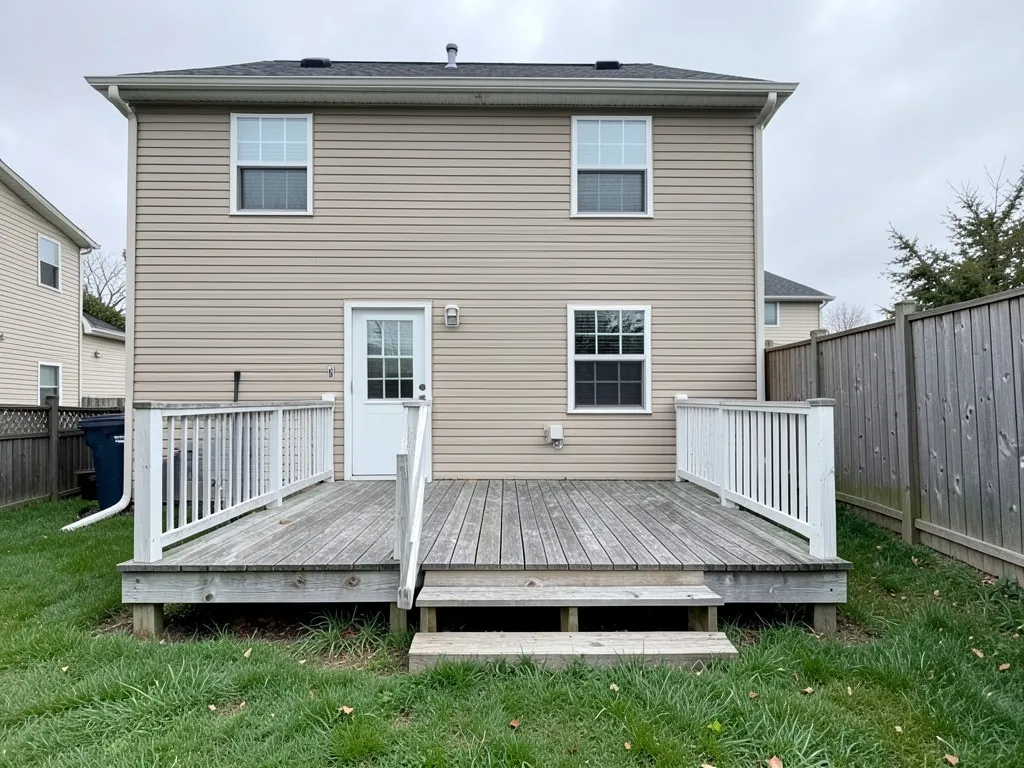
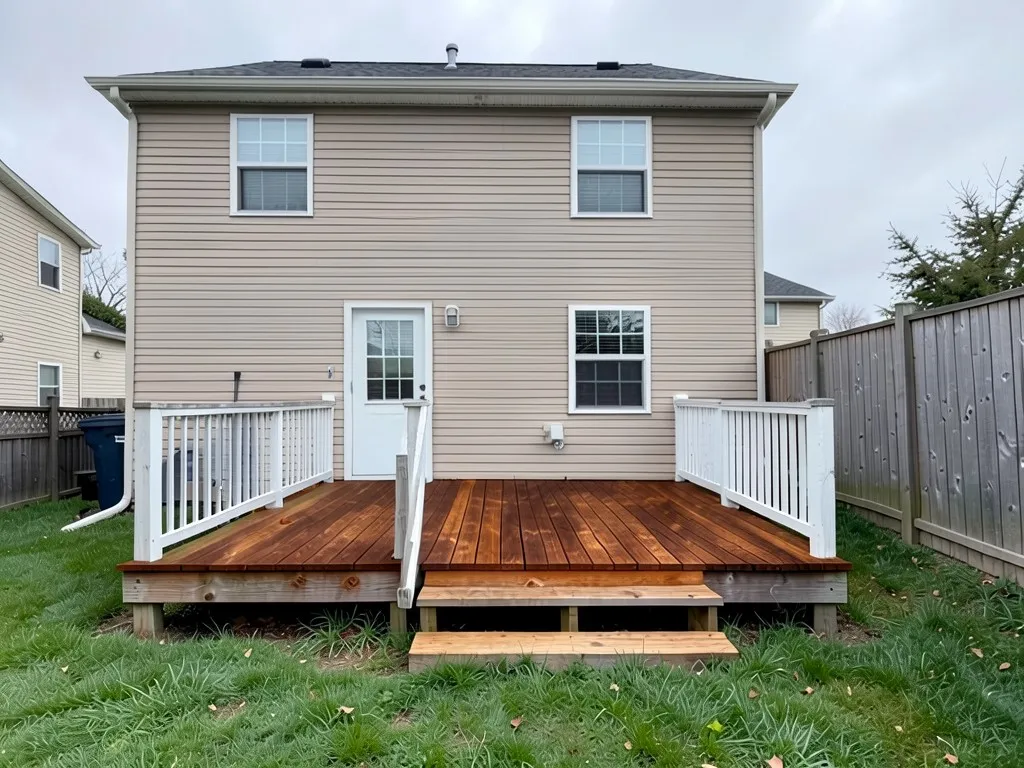
- Restain or recolor: Name a color in plain words (“warm cedar brown”, “dark walnut”, “silvery grey”) and say to keep the railings and steps. In our example the steps came out in a different wood, so say “steps the same color as the deck” if you want them to match.
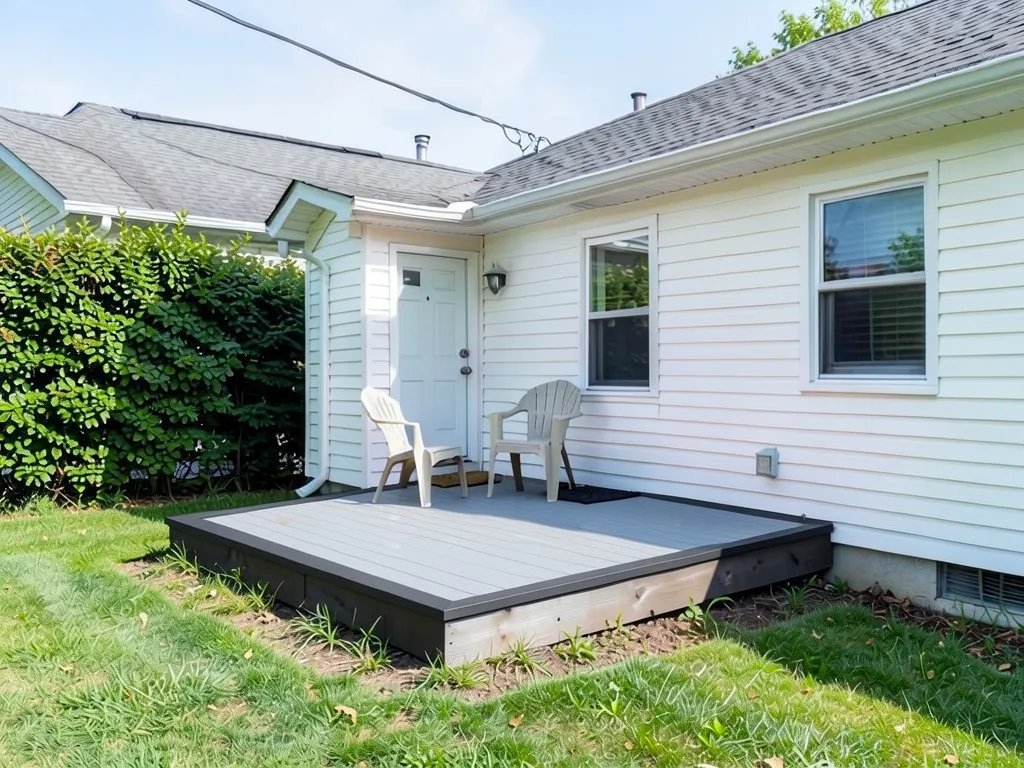
- Resurface: Ask for a lighter or darker board surface and a different border or picture frame. The AI shows color and pattern, not the real width or gaps of any board product.
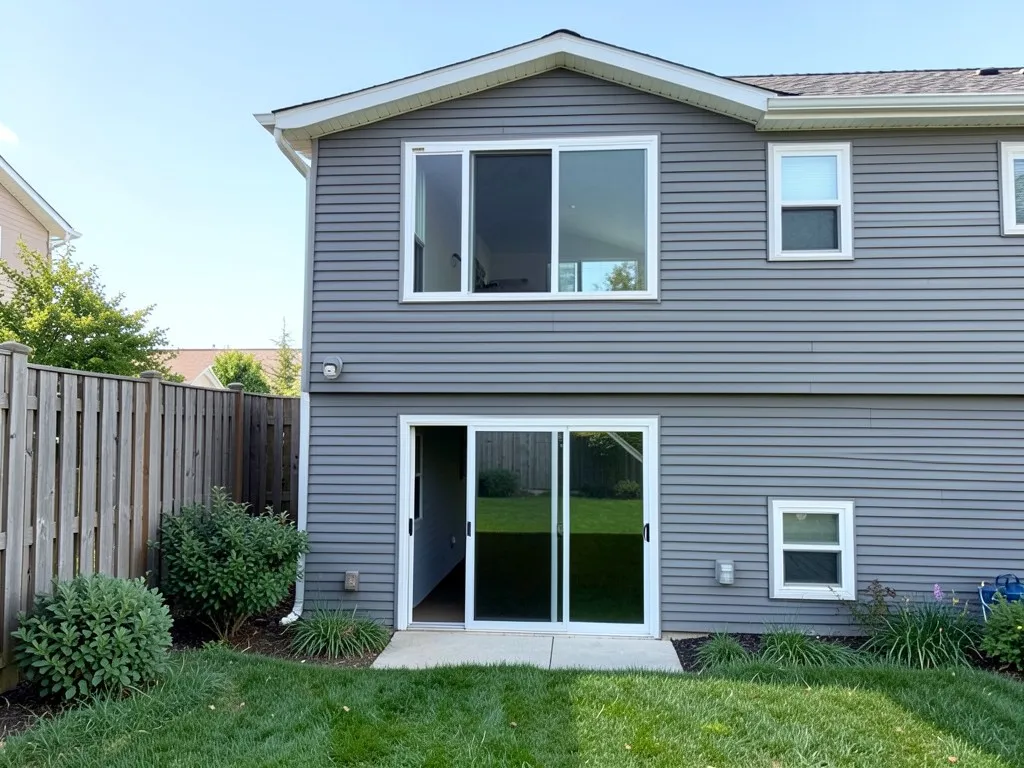
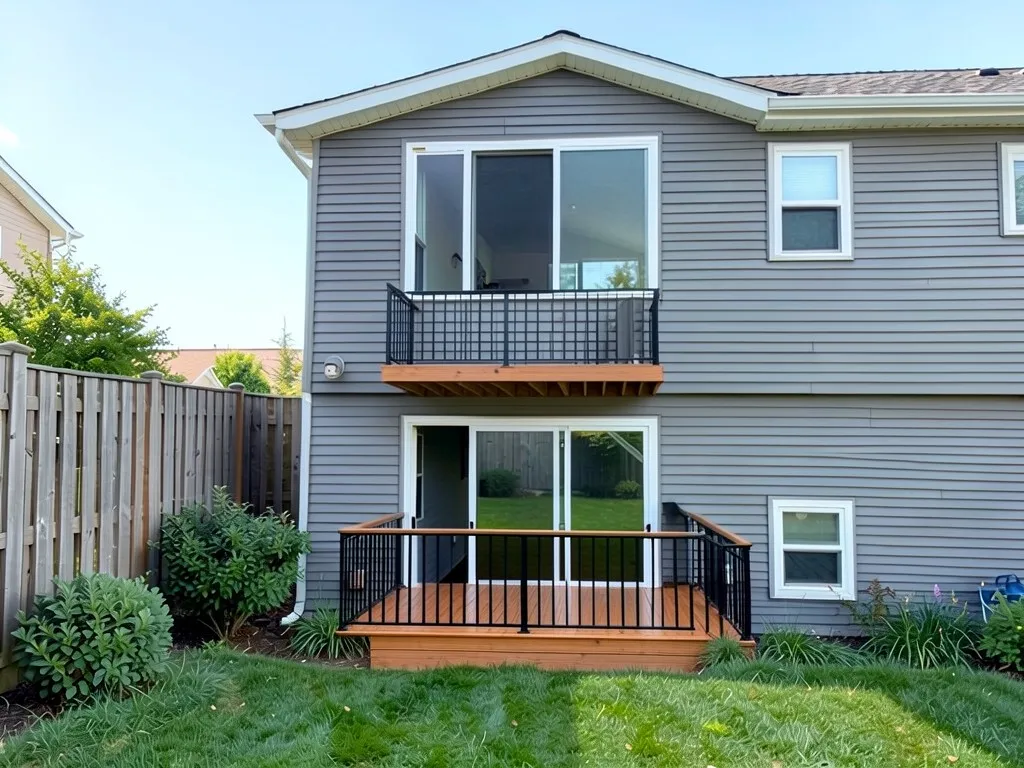
- Add a deck where there is none: Name the door the deck belongs to, the railing color, which side the stairs are on and whether it is a low deck or a raised one. Our example shows what happens when this is vague.
What to check before you build or refinish
This page makes no cost, code or product claims, because they vary by place and product. These are the questions to take to your local building office and to the people quoting the work.
- Permits: Ask your local building department whether a new deck, or a raised deck at a door, needs a permit and what drawings they want. A raised deck usually needs more than a flat one.
- Who builds the attachment: How a deck joins the house wall and how it is supported is a structural job for a qualified builder. A picture cannot tell you if it is possible.
- Stain and surface prep: Follow the product label on cleaning, drying time and how many coats. A stain color on a label and on your old wood can look different, so test a small patch.
- Same photo, same quote: Give every contractor the same measurements and the same list of what is included, so their quotes can be compared.
- HOA or neighborhood rules: Some associations limit deck size, height or colors. Check before you order anything.
What the AI preview can and cannot tell you
The edited image shows the overall look: color, surface, border and where a deck could sit against your house. It cannot measure your deck, price it, check that it is safe or legal, or show how a product wears. It can also change things you did not ask for or miss part of your instruction, as our three examples show, so check each result against your photo. Use it to pick a direction, then compare real samples and quotes.
Deck instructions to paste into Custom mode
In the landscape tool, choose Custom, paste one of these into the Custom Design Requirements box, then upload your deck photo. Swap in your own colors, surface and the door or side you mean.
- Change ONLY the deck boards: restain them a rich warm cedar brown, evenly colored, and keep the white railing and steps. Keep the house, lawn, fence, sky and camera angle exactly the same.
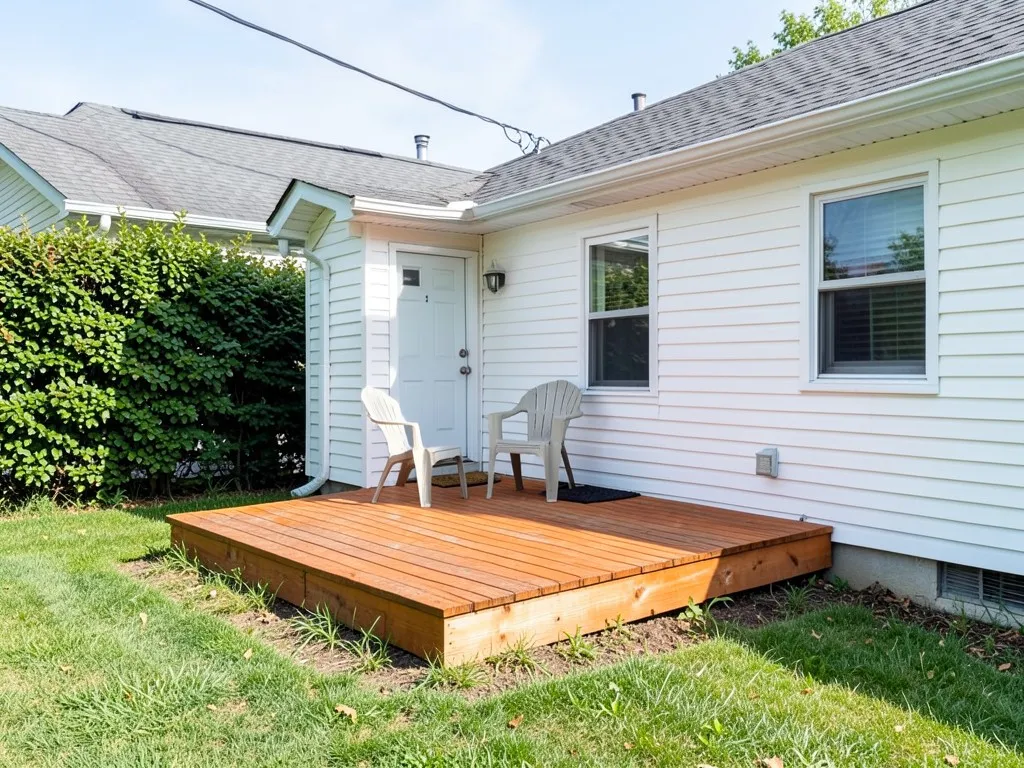
- Replace the deck surface with light grey composite boards and add a darker charcoal picture-frame border of boards around the edge. Keep the chairs, house, door, lawn, hedge, sky and camera angle exactly the same.
- Add a low rectangular deck of warm brown boards in front of the back door, with a black metal railing on the open sides and three wide steps down to the lawn on the left. Keep the house, door, windows, lawn, fence, shrubs, sky and camera angle exactly the same.
Frequently asked questions
Can I upload a photo of my own deck and change it?
Yes. Upload a photo of your deck, then write what to change, such as the stain color, the surface or the railing, and what to keep. The AI returns the same view edited. Check each result against your photo, because it can change small things you did not ask for.
How is this different from a deck designer or deck planner?
A planner starts from shapes and products and may give a materials list. This tool starts from your own photo and changes how it looks from a written instruction. It gives no measurements, materials list, structural design or permit drawing.
Can it show a new deck where my door opens onto a drop?
It can try, but results vary. In our example it put the deck at the ground-floor door and added an unrequested balcony, and missed the stairs. Name the door, the railing color and which side the stairs are on, and run it again if the first result is wrong.
Will the stain color match the real one?
Not exactly. The AI draws a color from your description; it is not a color match for any stain or board product. Test a small patch of the real stain on your wood before you buy.
Does it tell me if I need a permit or if the deck is safe?
No. A permit and the structure depend on your local rules and on a qualified builder. Ask your local building department and your contractor.
How accurate is an AI deck preview?
Good enough to compare looks such as color, surface and border. It is not a measured plan, and our examples show it can change small details or ignore part of an instruction, so use real samples and quotes to decide.
Do I need an account, and is it free?
You need an account, and it is free to sign up, and your first design is free. More designs come with a paid plan.